
A content review workflow is the set of steps, owners and rules that carries a draft from first submission to approval and publication. The steps are easy to draw. What makes them hold is something most teams never write down: why each reviewer decides the way they do, and when that rule applies. Teams that keep those reasons somewhere shared stop re-arguing the same points every round, and Kept is built to hold exactly that context.
TL;DR
- A review workflow needs clear stages, one named owner per decision, and a time limit for each review step.
- Rounds multiply when decisions that belong in the brief get made at review time, so settle claims, audience and message before drafting.
- Separate editorial review from final approval, and keep checklists to yes-or-no questions so reviewers spend their time on judgment.
- Record why each change was made, not only what changed. That record is what makes handoffs and onboarding fast.
- Revisit the workflow when editors keep making the same correction.
Table of Contents
- What a content review workflow actually is
- The stages, from submission to publication
- Who reviews, and who decides
- Criteria, feedback rules and deadlines
- Why reviews stall, and how to stop it
- Record the reasons, not just the changes
- Automation and tracking
- Where Kept fits
- Our perspective
- FAQ
- Sources
What a content review workflow actually is
Content Science describes a content workflow as a structured, repeatable set of steps and decisions that guides content from concept to completion. Applied to review, it answers four questions: who looks at the draft, in what order, against which criteria, and who says it is done.
That matters well beyond marketing blogs. Help-center articles, onboarding guides, policy pages, product documentation and internal procedures all go through some version of review. If you run a small or mid-sized business, the same workflow often covers all of them, usually through a mix of email threads, shared documents and chat messages. It works until the one person who knows why a rule exists goes on leave.
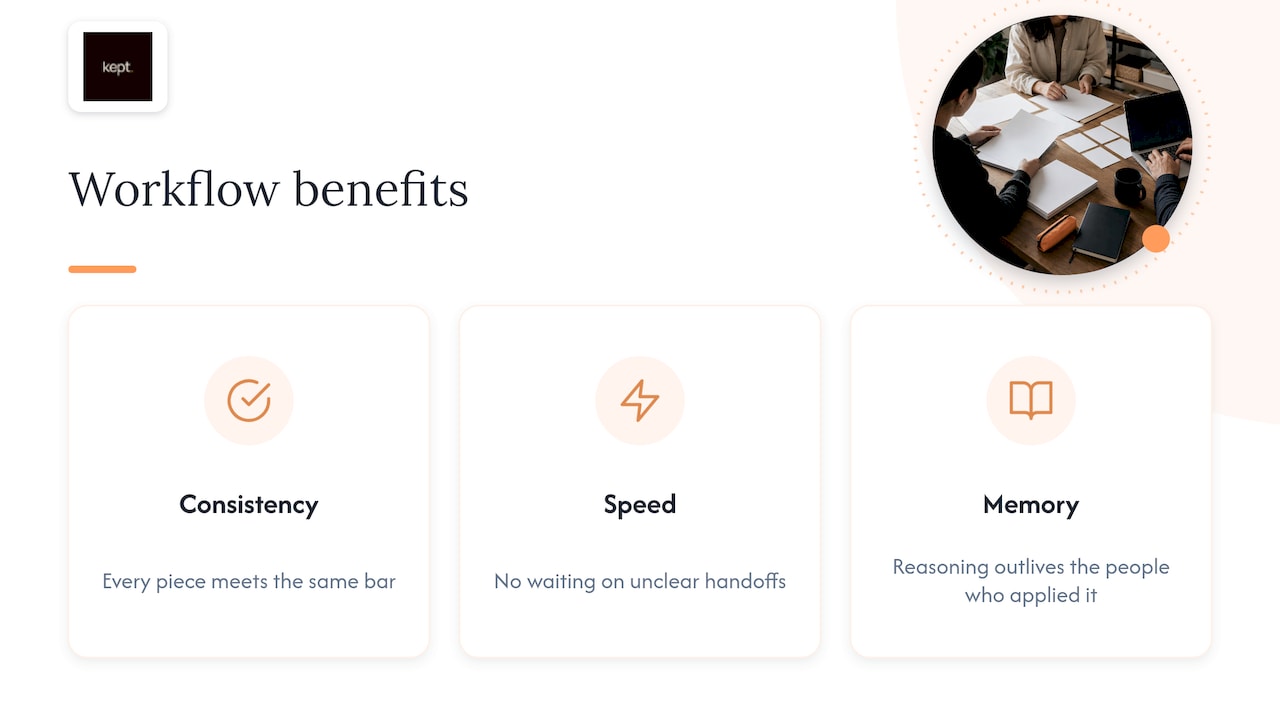
A good workflow gives you three things: consistency, because every piece meets the same bar; speed, because nobody waits on an unclear handoff; and memory, because the reasoning outlives the people who applied it. Most guides cover the first two. The third is where teams lose the most.
The stages, from submission to publication
Newcastle University's Brand Hub lays out a workflow with planning, creation, and publishing and review phases, with deadlines and turnaround times added to each stage. You can adapt it to any team size. Here is a practical version.
- Brief and assignment. Name the author, the subject expert and the approver. State the audience, the purpose and any claims that must or must not appear. Where it goes wrong: skipping the brief, so reviewers invent requirements after the draft exists.
- First draft. The author writes against the brief and runs a self-check against a short ready-to-review list.
- Subject-expert review. The person who knows the topic checks that facts, steps and terminology are right. Where it goes wrong: the expert rewrites style instead of checking accuracy, which duplicates the editor's job.
- Editorial review. An editor checks structure, clarity, voice and consistency with existing material.
- Revision. The author works through feedback, marking what was changed and what was declined, with a reason.
- Approval. One accountable person signs off. Legal or compliance reads the draft here only when the content makes claims that need it.
- Publication and promotion. Upload, publish and share where the audience will see it.
- Post-publication review. Someone owns accuracy over time.
That last step is the one that gets dropped. The Newcastle guide assigns post-publication responsibility explicitly: content that people act on, such as contact details, deadlines, procedures, staff lists and links, needs regular accuracy checks. If your content describes how work gets done in your company, an out-of-date page is not a small error. It is a new hire following the wrong process.
If you are connecting drafting, review and publishing into a single pipeline, this content creation workflow guide shows how the stages around review fit together.
Who reviews, and who decides
The most common cause of slow review is not too many steps. It is unclear ownership. Give every kind of decision exactly one owner, as IOD recommends in its piece on why technical content stalls:
- Product marketing or the content lead owns message and audience.
- Subject-matter experts own the truth of the product or process.
- Legal owns claims.
- An executive author owns the point of view.
Translate that to your own org chart. In a 40-person company, one person may hold two of those roles. That is fine, as long as the roles are named. Write the list down and put it where reviewers will see it.
Two habits keep the roles clean:
- Separate review from approval. Reviewers improve the draft. The approver decides whether it ships. Mixing the two turns every reviewer into a veto.
- Build a small RACI for review. A RACI chart marks who is responsible, accountable, consulted and informed for each step. Contentoo recommends a review-specific RACI so nobody is guessing whether their comment is required or optional.
Keep the group small. Contentoo reports that most teams, 70% in its own data, run review with just two to three stakeholders. More readers rarely produce a better draft. They produce more conflicting edits.
Criteria, feedback rules and deadlines
Define ready to review
A draft should not enter review until it meets a short, binary checklist: Is the brief attached? Are sources linked? Are required sections present? Has the author run a spell check? Contentoo's Penny Warnock argues that gates do not slow review, ambiguity does, and that these checklists should stay with yes-or-no hygiene questions so the human reviewer can spend time on judgment calls: whether the argument holds, whether the voice sounds like your brand.
Write feedback that can be acted on
Ybug's content approval guide recommends feedback that is specific, directive, prioritized and contextual. In practice, ask reviewers to label each comment as must-fix or optional, and to say why. Compare:
- Weak: "This section feels off."
- Useful: "Must fix: this step skips the manager sign-off that our policy requires for refunds over the threshold."
The second comment carries a reason. The author can fix it and the next reviewer can see the rule behind it.
Set time limits
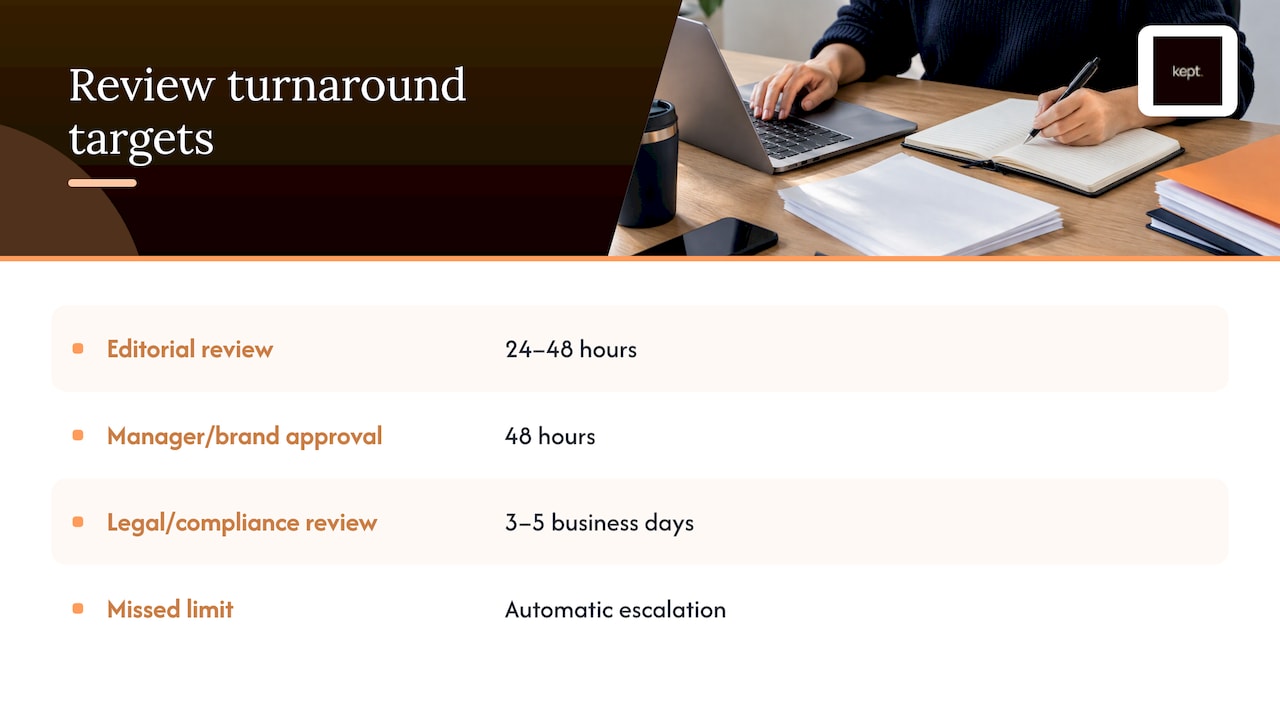
The same sources suggest turnaround targets. Contentoo proposes 24 to 48 hours for editorial review, 48 hours for manager or brand approval, and 3 to 5 business days for legal or compliance review, with automatic escalation when a limit is missed. Treat those as starting points and adjust to your volume. What matters is that the limit exists, that it is visible, and that someone is named to act when it passes.
A useful way to set deadlines: start from the publish date and work backward, giving each review step its own date.
Why reviews stall, and how to stop it
IOD's Rachel Heller explains the pattern clearly: in a serial flow, each reviewer reacts to the previous person's edits as much as to the draft itself, so rounds multiply. Decisions that should have been made in the brief get made at review time, and each one reopens the last.
Three fixes help most:
- Decide up front. Get claims, audience and message approved before drafting. A legal reviewer who approved the claims early can read the draft for whether they were used as approved, instead of reopening the decision.
- Review in parallel where you can. Accuracy and style checks rarely depend on each other.
- Escalate on a schedule. When a reviewer misses the limit, the item moves to a named backup rather than sitting.
The cost of getting this wrong is real. Contentoo cites Canto and Ascend2's 2025 report in which workflow issues led to brand dilution for 23% of teams and incorrect content reaching the market for 24%.
Record the reasons, not just the changes
Most review tools show you a trail of edits. Few show you the thinking. Consider a common case: a reviewer removes a sentence promising same-day replies. The edit is logged. The reason, that the support team cannot staff weekends, is not. Six months later a new writer adds the same promise, and the cycle starts again.
SaaSRow's 2026 workflow guide advises preserving review history that shows what changed, who changed it and why, and treating revision reasons and rejection stages as inputs. Its advice on feedback is worth borrowing: if editors keep replacing the same inflated introduction or deleting the same unsupported comparison, update the template or the rule rather than paying that correction cost again and again.
This is also what makes handoffs and onboarding work. Crispy Content recommends a playbook of processes, roles, tools and governance rules so new team members and outside partners are operational within days. A playbook written once and never updated goes stale, so pair it with a change plan.
A few ways to build that memory:
- Ask each approver, at sign-off, one question: "What would a new reviewer need to know to make this call the way you did?" Our guide to capturing tacit decisions in one hour gives five questions that work well for this.
- Keep versions with their reasons. See how process version control keeps the why alongside each change.
- Decide how long each kind of record is worth keeping, using the three retention bands for conversational documentation.
- Set rules for how content ages and retires with a content lifecycle policy.
If your review stalls specifically on procedures and standard operating procedures, the stages and roles are covered in more detail in our SOP approval workflow guide. For the workflow as a whole, documenting decisions rather than steps is the habit that pays off most.
Automation and tracking
Automation suits the parts that are mechanical: routing a draft to the next reviewer, sending reminders when a limit passes, logging versions and timestamps, and showing everyone where an item stands. Keep a plain status list (draft, in review, revisions, approved, published, due for recheck) so anyone can see where an item is without asking.
SaaSRow offers a rule worth keeping on the wall: do not automate a decision your team cannot explain consistently without software. Write the reasoning first. Then automate the routing around it.
Audit and compliance teams care about the same trail. Our audits and reviews use case shows how decisions stay traceable, and the eight-week audit trail guide covers capturing decisions rather than only steps.
Where Kept fits
Kept brings your company's information into one place. It connects to the systems you already use and talks with people at every level, so the reasons behind review decisions are held next to the work they affect. Your team can describe a process in their own words, use guided interviews to document exceptions and the reasoning behind them, and get citation-backed answers when someone asks why a rule exists. Workspace-level access controls decide who sees what, and taking part is each person's choice, with opt-in capture, review and deletion. Nothing a team says is used to train AI.
There are plans for individuals (kept for you) and for teams (kept for business). Read about how Kept works with the systems you already use or see the plans on the pricing page.

Our perspective
A review workflow is really a record of judgment. The stages tell you where a draft goes. The judgment tells you why it was approved, and that is the part that leaves the building when someone changes roles.
Most tools index the documents a company has already written. Reviews depend on something else: the reasons people hold in their heads, and the places where two people do the same job differently. We built Kept so those reasons sit alongside the systems and numbers the work touches, in one place, in people's own words.
That is why we suggest teams start small. Pick the one kind of content that stalls most often. Ask the approver why they decide the way they do. Write it down once, link it to the process, and let the next reviewer find it. Each conversation adds to the picture, so the longer a team works this way, the less it has to explain twice.
Anthony
FAQ
How many review stages should a content workflow have?
Use as few as the content's risk requires. Most teams do well with subject-expert review, editorial review and one approval. Add legal or compliance review only for content with claims that need it. Each extra stage adds a handoff and a possible delay.
Who should give final approval?
One person who is accountable for the content, usually the content lead, a department head or the executive author, depending on the piece. Reviewers improve the draft, but the approver decides whether it ships. Naming that person in the brief avoids last-minute disagreement.
How long should a review take?
Contentoo suggests 24 to 48 hours for editorial review and 48 hours for manager approval, with 3 to 5 business days for legal or compliance. Set limits that fit your volume, show them on the status list, and name who steps in when one is missed.
How do we keep the same corrections from coming back?
Write down the reason behind each recurring correction and fold it into your template, brief or checklist. A reviewer's explanation, stored where the next author can find it, saves the same edit from being made repeatedly.
How does a review workflow help onboarding?
A new team member can learn from the roles, criteria and recorded reasoning instead of asking around. When the playbook includes why decisions were made, not only the steps, newcomers can apply the same judgment sooner.
Sources
- What Is Content Workflow? - Content Science Review
- Workflow and approvals | Brand Hub | Newcastle University
- Content Approval Process: Why Technical Content Stalls | IOD
- Content Review Workflow: 11 Best Practices for 2026 | Contentoo
- Content approval workflow: a practical guide | Ybug
- Content Operating Model: Your Scalable Ops Checklist | Crispy Content
- AI Content Software Is a Workflow Decision | SaaSRow
- Content Creation Workflow for 2025: A Complete Guide