
Workflow documentation is a written or visual record of who does what, when, and with which tools to complete a task, including the inputs, outputs, and decisions along the way. Good documentation makes a process repeatable without the original owner in the room, cuts training time for new hires, and reduces the errors that come from guesswork. Start small: pick the one workflow that would hurt the most if the person running it left tomorrow, and document that one first.
TL;DR:
- Documenting high-impact workflows that would cause significant disruption if lost can prevent costly mistakes and improve team resilience.
- Choosing the appropriate format, such as checklists for simple tasks and flowcharts for cross-functional processes, enhances clarity and usability.
- Regularly reviewing and updating documentation based on real process changes ensures that records remain trustworthy and relevant.
- Embedding documentation into daily tools and automation systems increases usage and reduces the risk of outdated or ignored processes.
- Using conversational AI to capture practical reasoning and decision logic helps preserve critical context often missed in traditional documentation.
Table of Contents
- What Are the Benefits of Documenting Workflows?
- What Documentation Format Fits Your Workflow?
- How Do You Create Workflow Documentation Step by Step?
- Where Should You Store Workflow Documentation?
- How Often Should You Update Workflow Documentation?
- How Can You Connect Documentation to Automation?
- What Mistakes Ruin Workflow Documentation?
- How Does Conversational Capture Preserve Decision Logic?
- What Should Teams Prioritize First?
- A Practical Next Step for Documenting Your Team's Workflows
- Sources
- FAQ
What Are the Benefits of Documenting Workflows?
Teams that skip documentation pay for it later, usually at the worst possible moment, like when the one person who understood the vendor onboarding process quits without notice. Documentation prevents that scramble by turning tribal knowledge into something the whole team can reference.
The efficiency case is straightforward. When steps, owners, and handoffs are written down, people stop guessing and stop asking the same three questions in Slack every week. That alone shrinks the small errors that come from someone misremembering the fourth step in a five-step approval chain.
Onboarding improves for the same reason. A PwC workforce survey found large numbers of employees navigating new tools and shifting roles, which means the documentation a new hire relies on today may not match the tools they use in six months. Static PDFs written once and forgotten cannot keep pace with that kind of change. Documentation built to be updated, rather than filed away, is what actually survives that turnover.
Compliance and auditability round out the case. When a regulator, auditor, or new manager asks "how does this actually work," a current process document is the difference between a five-minute answer and a week of reconstruction.
Documenting workflows pays off in four concrete ways:
- Fewer repeated errors, because steps and decision points are explicit instead of remembered
- Faster ramp time for new employees, who can self-serve instead of shadowing a colleague for weeks
- Cleaner audits, since a dated process record shows exactly how work was supposed to happen
- A foundation for automation, because you cannot automate a step nobody has written down clearly
Statistic callout: Rapid shifts in tools and job roles are common enough across the modern workforce, according to PwC's research, that documentation built as a one-time project is almost guaranteed to go stale within a year.
What Documentation Format Fits Your Workflow?
Not every process deserves the same treatment. A five-step expense reimbursement task does not need the same rigor as a multi-department incident response plan, and using the wrong format is one of the fastest ways to make documentation nobody reads.
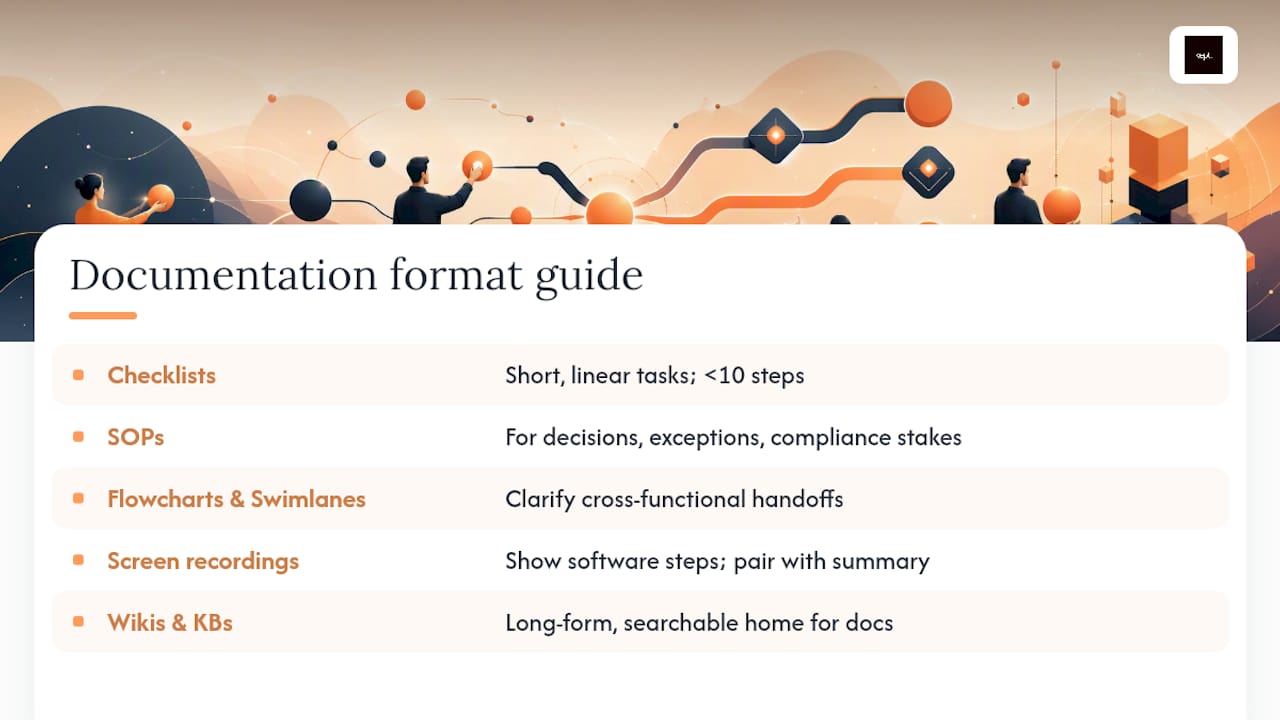
Checklists work best for short, linear tasks where the main risk is skipping a step. Think device setup for new hires, a pre-launch content checklist, or end-of-month bookkeeping tasks. If a task takes fewer than ten steps and rarely branches into decisions, a checklist beats a full standard operating procedure.
Standard operating procedures (SOPs) earn their place when a task has decision points, exceptions, or compliance stakes. An SOP for handling a customer data deletion request, for example, needs to spell out what happens when the request comes from a third party, or when the account has an active dispute. That branching logic is exactly what a checklist cannot capture well.
Flowcharts and swimlanes solve a different problem: cross-functional handoffs. Any workflow that moves across more than one team, like a purchase approval that touches procurement, finance, and the requesting manager, gets clearer the moment you draw it. A swimlane diagram assigns each step to a lane by role, so nobody can claim a dropped task wasn't theirs to catch.
Short screen recordings are the right call for software-heavy steps that are painful to describe in text. A two-minute recording showing exactly where to click in a CRM often beats three paragraphs of numbered instructions, and tools like SnagIt or Camtasia make capturing those steps fast, according to Cal Poly's documentation guidance. Pair the recording with a short written summary so the content stays searchable.
Wikis and knowledge bases are the long-form home for everything else, especially documentation that needs to be searchable across dozens of workflows. This is where SOPs, checklists, and embedded videos all live together, tagged and cross-linked.
A practical template for most workflows includes five fields: purpose, scope (where the process starts and ends), step-by-step actions with named owners, exceptions or edge cases, and a "last reviewed" date. That last field matters more than people think. Documentation without a visible review date reads as untrustworthy even when it's accurate, because readers have no way to know if it still applies.
How Do You Create Workflow Documentation Step by Step?
Most documentation efforts fail not because nobody writes anything down, but because the process used to write it skips steps. Here is a sequence that holds up across departments, adapted from methods outlined in HashiCorp's Well-Architected Framework and the Atlassian process documentation guide.
-
Pick the right workflow first. Not every process deserves documentation immediately. Prioritize by impact, frequency, and error rate. A task performed daily by five people, with a history of mistakes, outranks a quarterly task only one person touches.
-
Define scope precisely. Name the exact trigger that starts the workflow and the exact outcome that ends it. "Handling customer complaints" is too broad. "Resolving a billing dispute from initial ticket to refund confirmation" has real edges.
-
Map every step and decision point. Walk through the process in order, noting not just actions but choices. Where does the process branch? What conditions send a request down a different path? This is where most documentation gets thin, because the person mapping it already knows the exceptions by instinct and forgets to write them down.
-
Assign owners and backups. Every step needs a name attached, not just a role. And every critical step needs a backup owner, because documentation that only works when one specific person is available has not solved the knowledge-loss problem it was meant to solve.
-
Capture exceptions and acceptance criteria. What counts as "done" for this step? What happens when an input is missing or malformed? Documentation that only describes the happy path is documentation that fails the first time reality gets messy.
-
Build the visual. A flowchart, swimlane diagram, or annotated screenshot set turns a wall of text into something a reader can scan in thirty seconds. Complex workflows with more than two decision branches almost always need one.
-
Test it end-to-end with someone unfamiliar with the process. This step gets skipped constantly, and it's the one that matters most. According to Atlassian's process documentation research, running the documented workflow with someone who has never done the task is the single best quality check available, because it surfaces the assumptions the original writer didn't know they were making.
-
Publish to a central location and schedule the first review. A document with no home and no review date is a document that will be wrong in six months and nobody will notice.
Pro Tip: Before you write a single step, run the workflow yourself with real inputs, not hypothetical ones. Bottlenecks and broken handoffs almost never show up until you try the process with an actual case in front of you, which is exactly the failure mode HashiCorp's framework warns against skipping.
Chunking helps too. Break long workflows into subtasks that fit inside a single focused session, roughly 30 minutes according to Cal Poly's guidance, since that length matches how most people actually learn and retain a new process.
Where Should You Store Workflow Documentation?
A brilliant process document buried in someone's personal drive helps nobody. Storage location and discoverability matter as much as the content itself, and this is where a lot of well-intentioned documentation projects quietly die.
A workable single source of truth needs four things: search that actually works, version history so you can see what changed and when, access controls that match your org chart, and templates that keep new documents consistent instead of every team inventing its own format. Miss any one of these and documentation drifts back into scattered folders and forgotten wikis.
- Search should surface relevant docs by keyword, not just exact title matches. Industry guidance from AIIM's information management research points to AI-assisted search and strong metadata as the difference between a knowledge base people actually use and one they abandon.
- Version control lets you see the last five changes to a procedure, who made them, and why, which matters enormously during an audit or a post-incident review.
- Permissions should follow the sensitivity of the content. A finance approval SOP doesn't need to be visible to every contractor, but it should be visible to everyone who touches that approval chain.
- Embedded media matters more than most teams plan for. If your storage system can't embed a screen recording or a flowchart directly into the page, people will link out to a separate tool and half of them won't click through.
Metadata and tagging conventions deserve their own attention. At minimum, tag each document with an owner, a "last reviewed" date, and, where relevant, an SLA for how often it must be revisited. A finance-critical SOP might need quarterly review; a low-stakes internal checklist might only need an annual glance. Without that tagging, teams either review everything constantly (wasteful) or nothing at all (dangerous).
Collaborative editing rounds out the picture. Documentation improves fastest when the people doing the work can suggest edits directly, rather than filing a request and waiting. A lightweight comment or suggestion feature, paired with clear permissions on who can approve a change, keeps documents both accurate and stable.
How Often Should You Update Workflow Documentation?
Documentation is not a deliverable you finish once. It's closer to a garden: leave it alone for a season and it stops being useful, no matter how well it was planted.
Start with ownership. Every workflow document needs one named owner and one backup, the same way the workflow itself needs owners for each step. Without a name attached, "someone should update this" turns into "nobody updates this."
Review cadence should match how often the underlying process changes, not an arbitrary calendar. A workflow tied to a tool that gets updated quarterly needs quarterly review at minimum. A stable, rarely-touched compliance process might only need an annual check. Set the cadence explicitly and put the next review date on the document itself.
Certain events should trigger an unscheduled review regardless of cadence:
- The tool or software the workflow depends on changes or gets replaced
- A service-level agreement or compliance requirement shifts
- An incident or near-miss reveals a gap the documentation didn't cover
- A new hire following the doc gets stuck at a step the writer assumed was obvious
Feedback loops close the gap between "documentation exists" and "documentation is trusted." The lowest-friction version is a comment field or suggestion button directly on the page, so the person who spots an outdated step can flag it in ten seconds instead of hunting down the owner's email.
Statistic callout: PwC's workforce research shows how common tool and role changes have become across large organizations, which is exactly why a fixed annual review cycle is often too slow for fast-moving teams.
The real QA test, echoed across Atlassian's and Slack's guidance on the topic, is simple: can someone who has never touched this workflow complete it correctly using only the document? If the answer is no, the document isn't finished, no matter how polished it looks.
How Can You Connect Documentation to Automation?
Documentation that lives apart from the tools people actually use gets ignored. The fix isn't more documentation. It's putting the documentation where the work already happens.
Embed process docs directly into the tools your team touches daily: link the SOP inside the task card in your project management tool, drop a runbook link into the incident channel in your chat tool, attach the checklist to the ticket template itself. The fewer clicks between "I have a question about this step" and "here's the answer," the more people actually use what you've written.
Automation can also surface documentation contextually, showing the right runbook the moment a specific type of ticket is created, rather than expecting someone to remember where it lives. This kind of connective automation is becoming more common: Gartner projects a significant rise in enterprise network automation by 2026, which means the workflows behind that automation need documentation precise enough for a system, not just a person, to follow.
- Link SOPs directly inside task and ticket templates so they surface automatically
- Trigger a documentation prompt when a workflow hits a known exception or escalation
- Auto-generate a first draft from a recorded walkthrough or transcript, then have a human verify every step before publishing
- Never let an automated draft go live without a named reviewer checking it against a real run of the process
Pro Tip: If you use a recording or transcript to auto-generate a first draft, treat that draft as a rough outline, not a finished document. The gap between "technically accurate" and "actually usable" almost always shows up in the exceptions the recording didn't happen to cover.
Guardrails matter here more than the automation itself. An auto-generated SOP that skips an edge case is worse than no documentation, because it creates false confidence. Build in a mandatory human review step before anything auto-drafted gets published to the central repository.
What Mistakes Ruin Workflow Documentation?
Most bad documentation isn't bad because nobody tried. It's bad because of a handful of predictable habits that seem harmless in the moment.
Documenting the ideal version instead of the real one. Every team has a version of the process that would happen if nothing ever went wrong. That's not the version people need written down. Document what actually happens, including the workaround everyone uses when the "official" step doesn't work.
Over-detailing. A ten-page SOP for a five-minute task guarantees nobody reads past page two. Following the "less is more" principle from Cal Poly's documentation guide, write for a novice, but only include what a novice genuinely needs. Cut the history of why the process changed three reorgs ago. Cut the justification paragraphs. Keep the steps.
Letting documents go stale. A document with no owner and no review date is a liability disguised as an asset. It looks authoritative right up until someone follows a step that no longer applies to a system that got replaced eight months ago.
Scattering documentation across tools with no clear home. When half your SOPs live in a wiki, a third live in shared drives, and the rest live in someone's email drafts, discoverability collapses. Pick one central repository and enforce it.
Leaving out exceptions and decision logic. This is the quiet killer. A document that only shows the linear happy path leaves every edge case to the reader's judgment, which defeats the entire purpose of documenting the process in the first place.
- Write the actual steps people take, not the theoretical ideal
- Keep it short enough that a new hire reads the whole thing
- Store it in one place, tagged with an owner and a review date
- Spell out exceptions instead of assuming common sense will fill the gap
How Does Conversational Capture Preserve Decision Logic?
Most documentation projects capture the steps and lose the reasoning. Someone writes "escalate to the manager if the request is unusual," and six months later nobody remembers what "unusual" was supposed to mean. The step survived. The judgment behind it didn't.
This is the gap Kept was built to close. Instead of asking someone to sit down and write a formal SOP from scratch, which is exactly the task most people put off indefinitely, Kept uses conversational AI to interview the person doing the work. They explain the process in their own words, including the parts they'd normally leave out of a formal document: why they skip step four when the client is a repeat customer, what "urgent" actually means in practice, which exceptions come up often enough to matter.
That guided interview format surfaces edge cases a static template rarely catches. A well-run capture session asks the kind of follow-up questions a good manager would ask in a handover meeting: what happens when this input is missing, who approves the exception, what does "done" actually look like here. The output isn't just a list of steps. It's the step, the reason behind it, and the acceptance criteria that define success, three fields that most traditional SOPs either skip or bury in a paragraph nobody reads.
For a manager thinking about where knowledge risk actually sits, engineering teams that rely on one senior person's undocumented judgment calls are a common example. That kind of expertise rarely survives a resignation unless someone captures the reasoning, not just the checklist, before the person walks out the door.
- Capture the step, the reason for it, and how to know it's been done correctly
- Ask direct questions during capture: "What do you do when X happens?" surfaces exceptions faster than open-ended requests to "document your process"
- Preserve the language the person actually uses, since jargon-free, first-person explanations tend to translate more clearly for the next person than a formalized rewrite
- Treat the captured session as a living record that can be revisited when the process changes, not a one-time transcript
Documentation built this way still needs the same discipline covered earlier: an owner, a review cadence, and a test with someone unfamiliar with the process. Capturing decisions, not just tasks, solves the hardest part. The maintenance habits still have to follow.
What Should Teams Prioritize First?
If you're staring at a backlog of undocumented processes and wondering where to start, document the workflow that would cause the most damage if the person running it disappeared tomorrow. Not the most complex one. Not the one that's easiest to write up. The one with the highest cost of forgetting.
Match the format to the actual risk, not to what looks impressive. A five-step task gets a checklist. A branching, judgment-heavy process gets a full SOP with exceptions spelled out. Most teams overbuild documentation for simple tasks and underbuild it for the complicated ones, which is backward.
And treat the first version as a draft you'll revise, not a finished artifact. The best documentation I've seen wasn't written once and left alone. It was tested with someone new, corrected, tested again, and updated every time the underlying process shifted. Perfection on the first attempt isn't the goal. A document that's roughly right today and easy to fix tomorrow beats one that was flawless six months ago and wrong ever since.
— Anthony
A Practical Next Step for Documenting Your Team's Workflows
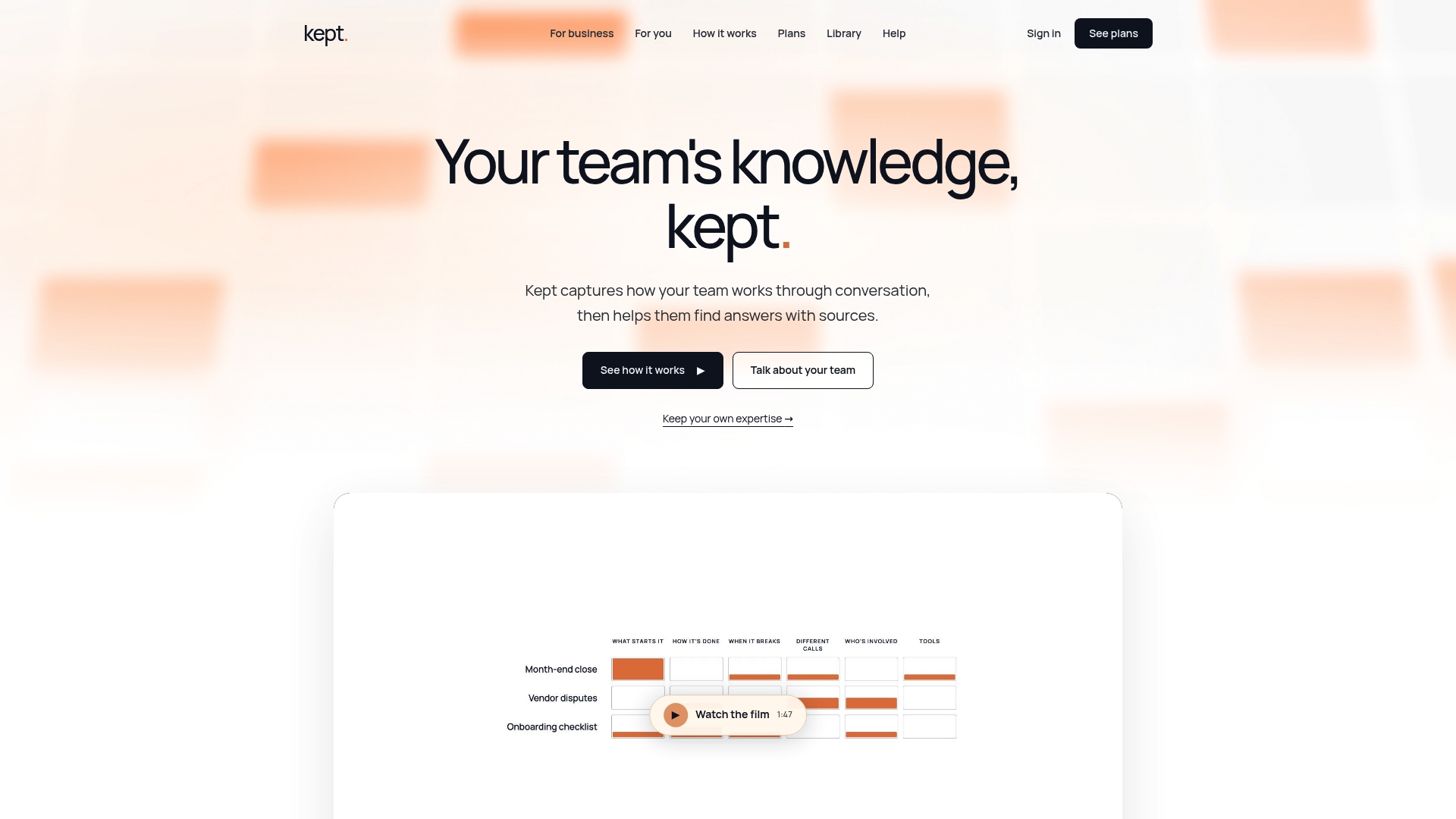
Writing down steps is the easy part. Capturing the judgment behind them, the exceptions someone handles by instinct, the reasoning nobody thought to write into the SOP, is where most documentation efforts quietly fall short. Kept approaches this differently: instead of handing someone a blank template, it runs a guided conversation, letting people explain their process in their own words while the platform structures that explanation into a usable workflow document.
That matters most in exactly the situations this guide has covered: reducing tribal knowledge that walks out the door with a departing employee, speeding up onboarding for the person who inherits a process cold, and keeping documentation from calcifying into something nobody trusts. Business workspaces come with opt-in capture, review controls, and clear ownership over what gets kept and what gets deleted, so teams retain control over sensitive process knowledge rather than losing visibility into it.
If you're weighing whether this fits your team, the Kept for Business page walks through how workspace-level access controls and guided capture work in practice. Pricing for both kept for you and kept for business plans is available on the pricing page, where you can compare options based on whether you're documenting for yourself or rolling this out across a team.
Sources
- Define workflows — HashiCorp Well-Architected Framework
- How to document workflows: Best practices and examples — Slack
- The ultimate guide to process documentation — Atlassian
- Documenting Workflows — Cal Poly (PDF)
FAQ
What Is Workflow Documentation?
Workflow documentation is a written or visual record of the steps, owners, inputs, and outputs involved in completing a business process, including the decisions made along the way. Its purpose is to make a process repeatable by anyone on the team, not just the person who originally figured it out. Good documentation stays current, following the "living document" approach described in Slack's guide to workflow documentation.
What Are Some Examples of Workflow Documentation?
Common examples include standard operating procedures for tasks with decision points, checklists for short linear processes, flowcharts for cross-functional handoffs, screen recordings for software-heavy steps, and wiki pages that tie all of these together in a searchable knowledge base. A customer refund SOP, a new-hire equipment checklist, and an incident response flowchart are all workflow documentation, just built for different levels of complexity.
How Do I Create a Workflow Document?
Start by choosing a high-impact, frequently used workflow, then define its exact start and end points before mapping every step and decision. Assign an owner to each step, capture exceptions, build a visual aid like a flowchart, and test the finished document with someone unfamiliar with the process, a method Atlassian's process documentation guide treats as the most reliable quality check available. Publish it to a central, searchable location and set a review date.
What Are the Three Types of Documentation?
Definitions vary across teams and industries, but process documentation is often grouped into three broad categories: procedural documents like SOPs and checklists that describe how to perform a task, reference documents like wikis and knowledge bases that explain systems or policies, and visual documentation like flowcharts and screen recordings that show a process rather than describing it in text. Most mature teams use all three together, matching the format to the complexity of the workflow.
How Does Kept Help With Workflow Documentation?
Kept uses conversational AI to interview team members about how they actually work, turning their spoken explanation into a structured workflow document that includes the reasoning behind each step, not just the step itself. This approach helps preserve context and decision logic that traditional templates often miss, which is especially valuable for reducing knowledge loss during onboarding or staff turnover. Details on plans are available on the Kept pricing page.