
Remote process documentation is the practice of writing down how work gets done so that anyone on a distributed team can find it, follow it and improve it without tapping a colleague on the shoulder. It works when it records more than steps: the reasoning, the exceptions and the owner of each process. Kept is built for that. Our AI companion, June, talks with people at every level of your company, in their own words, and connects what they say to the systems the work touches. This guide walks you through what to document, how to do it remotely, and how to keep it alive.
TL;DR
- Remote teams cannot pick up context in the hallway, so processes have to be written down where everyone can find them, whatever their time zone.
- Steps alone are not enough. Document the decision points, the exceptions and the reason behind each choice.
- Give every process an owner, a review rhythm and a place where people can ask questions or suggest changes.
- Start with the processes that hurt most when a person leaves or a new hire joins, then widen.
- Kept gathers this knowledge through guided conversations and links it to your systems. Taking part is each person's choice.
Table of Contents
- What remote process documentation means
- Why it matters more when no one shares an office
- Decide what to document first
- How to document a process remotely, step by step
- Keep it current without constant meetings
- Use it for onboarding and for keeping knowledge
- Where a conversational approach helps
- Promo: put your team's knowledge in one place
- Our perspective
- FAQ
- Sources
What remote process documentation means
A process document answers a simple question: how do we do this here? In an office, much of that answer lives in people's heads and gets passed along in conversation. The authors of the Holloway Guide to Remote Work make the point directly: in an office you can stop someone in the hall for context, but a remote company has to codify its processes so people can work asynchronously (on their own schedule, not in the same live call) and still pull in the same direction.
For your team, this means three things need to be written down:
- The work itself. What happens, in what order, by whom.
- The judgment calls. When a step changes, what the person doing it looks at, and why.
- The systems. Which tools and records the work touches, and which numbers move as a result.
Most teams cover the first, a few cover the third, and almost none cover the second. Yet the second is what a new hire or a stand-in actually needs on the day something unusual comes up.
Why it matters more when no one shares an office
The cost of undocumented work grows with distance. Two numbers show how common the gap is. A Guru survey of knowledge workers, as summarized in a 2026 statistics roundup, found only 27% of remote workers say their company has a documented, consistently maintained knowledge base they can rely on, and 61% regularly recreate work that already exists somewhere in the organization.
Time spent searching adds up too. IDC research, cited in a 2026 knowledge management roundup, puts the time knowledge workers spend looking for information at 15 to 25% of the workday, and reports that companies lose roughly 42% of institutional knowledge every five years through turnover. Treat these as directional figures from survey research rather than a forecast for your company. The pattern is what matters: when answers live in individual heads, every departure, vacation and time-zone gap becomes a delay.
For the five groups this guide is written for, the payoff looks different:
- Small and mid-sized business owners get workflows that no longer depend on one "person who knows."
- Team leaders keep critical knowledge when someone moves on.
- HR professionals shorten the path from offer letter to productive first month.
- Project managers see how work really runs, not just how the plan says it should.
- Enterprise teams document complex workflows that cross departments and regions.
Decide what to document first
You do not need to document everything. Start where the pain is. A practical way to rank candidates:
- Risk of loss. Which processes sit with one or two people? If either left next month, what would break?
- Frequency. Tasks done weekly or daily repay documentation fastest.
- Handoffs. Work that crosses teams or time zones is where context leaks most.
- Onboarding weight. What does every new hire have to learn in the first 30 days?
A 2024 scoping review in a peer-reviewed journal, published through PubMed Central, describes the main phases of documenting organizational knowledge as acquiring, registering, evaluating, sending and publishing it. It also lists supporting stages such as forming a documentation team, collecting feedback and creating a database. In plain terms: gather it, write it down, check it, share it, and give it a home.
If you want a deeper look at mapping a process before you write it, our guide to process mapping workshop steps and decision capture covers the working session in detail.
How to document a process remotely, step by step
The routine below works for a team spread across cities or countries. At each step, there is a place where it usually goes wrong.
1. Name the process and its edges
Write one sentence on where the process starts, where it ends and who needs the result. Without edges, documents sprawl into neighboring processes and nobody can tell when they are finished.
Where it goes wrong: teams pick a process that is really five processes under one label, like "client onboarding." Split it.
2. Talk to the people who do the work
The person doing the task knows things the manual never mentions. Remotely, this means a short call or an async conversation rather than a workshop that needs everyone online at once. In Kept, June holds a guided conversation with each person in their own words, asks follow-up questions and keeps the answers organized. Joining is the person's choice, and what they share can be reviewed and deleted.
Where it goes wrong: asking only the manager. Managers describe the process as designed. The people doing the work describe it as it runs.
3. Record the raw version first
Get the steps down in whatever form comes naturally: a spoken walkthrough, rough bullets, a transcript. Tidy later. Polishing too early costs the details people mention in passing.
Where it goes wrong: someone drafts a clean flowchart from memory, and the real workarounds never make it onto the page.
4. Mark every decision and exception
This is the step that separates useful documentation from a checklist. For each fork, write the condition in plain language, what happens on each branch, and why. Examples: "If the order is over the approval limit, route it to finance, because the contract requires a second signature."
For concrete patterns, see our examples of process documentation that captures exceptions and the article on capturing decisions, not just steps.
Where it goes wrong: exceptions get dismissed as rare. They are rare per week and constant per year, and they are exactly what a new person cannot guess.
5. Link the work to the systems it touches
A step that says "update the record" is only helpful if the reader knows which record, in which system, and what the number should look like afterward. Connecting the written process to the systems your team already uses keeps the document tied to real work. Kept connects to your systems and links what each person does to the sites and numbers that work affects. See how this works for the systems you already use.
Where it goes wrong: documentation floats free of the tools, so it goes stale the first time a screen or field changes.
6. Assign an owner and a review rhythm
Cloud engineering teams have formalized this. The AWS Well-Architected Framework directs teams to name an owner for each process, keep it under version control and define review frequency and approval rules, and to make sure processes are accessible and discoverable by those who need to run them. The principle applies well beyond technology: no owner, no upkeep.
Where it goes wrong: the document has an author but no owner, so nobody feels responsible when reality changes.
7. Test it with someone new
Hand the finished document to a person who has never run the process. Every question they ask is a gap in the page. Fix the page, not the person.
Where it goes wrong: testing it only with the expert, who fills every gap silently.
Keep it current without constant meetings
Remote documentation lives or dies on maintenance. Three habits help.
Write decisions where everyone can find them. One remote engineering guide puts the rule bluntly: a decision made in a meeting does not exist until it is written in the system of record, and chat messages are not reliable documentation. Pick one home for process knowledge and say so out loud.
Keep it open to change. The Holloway Guide recommends documentation that is available asynchronously, regularly updated and open to edits or requests for edits, with questions answered quickly. Make it easy for the person who just hit an exception to flag it on the spot.
Control access. Not every process should be visible to everyone. Use workspaces with permissions, so sensitive material stays with the people who need it. Kept offers workspace-level access controls, plus personal and business workspaces.
A short review checklist for each process owner:
- Did a tool, role or approval limit change this quarter?
- Did anyone report an exception the document does not cover?
- Are the linked systems and numbers still the right ones?
- Does a recent hire still find it clear?
Use it for onboarding and for keeping knowledge
Two outcomes justify the effort for most teams.
Faster, calmer onboarding. New hires on a remote team cannot lean over and ask. Documentation that includes the reasoning lets them answer their own questions at 9 p.m. in their own time zone. SHRM's 2024 Talent Trends findings, as reported in a 2026 roundup, associate mature documentation programs with 35% shorter onboarding. For a practical plan, see our guides on asynchronous onboarding, the onboarding playbook and piloting onboarding documentation in 4 to 8 weeks.
Knowledge that stays when people move on. The same SHRM figures cited there put the cost of replacing a departing employee at 50 to 200% of annual salary, with lost expertise a meaningful share of it. A conversation with the departing expert, structured around "what do you do, why, and when does it change," is far cheaper than rebuilding that judgment later. Our expert handoffs page shows how this runs in Kept.

Where a conversational approach helps
Traditional documentation asks busy people to stop working and write. Many never do. A conversational approach turns the job into a conversation: you explain how you handle a task, the system asks what happens when it goes differently, and the answers are structured for you.
Here is the kind of exchange that fills the gap:
June: What do you do when a vendor invoice doesn't match the purchase order?
You: I hold it and ask the buyer first. If it's under the tolerance, I approve anyway.
June: Got it. What's the tolerance, and why that number?
That last question is the one a form never asks. It records the rule, its reason and when it applies.
With this approach the company can also see where people do the same job differently, then decide which way becomes its own. Kept does not score or rank anyone, and nothing a team says is used to train AI.
Promo: put your team's knowledge in one place
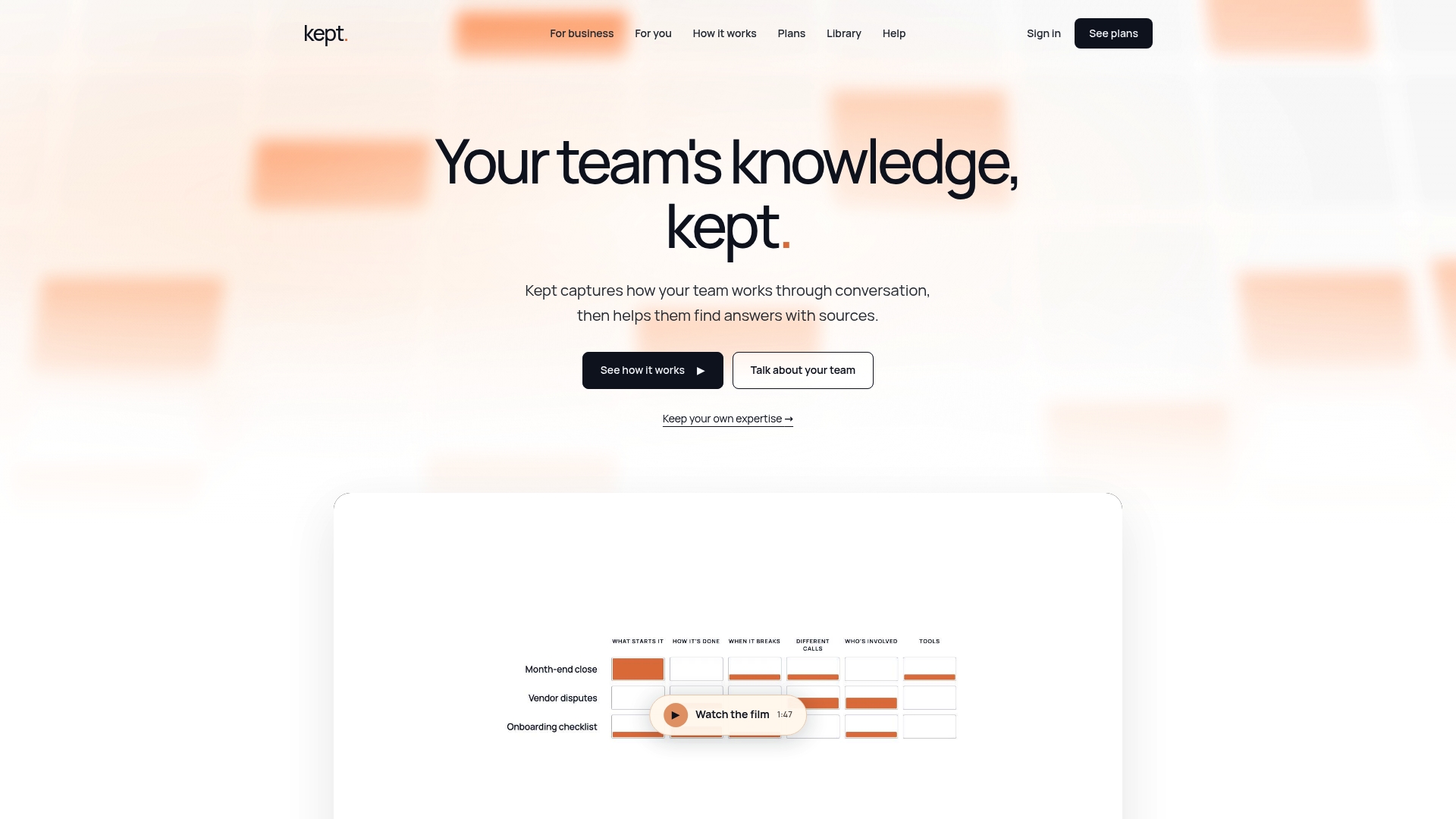
Kept for business gives teams a shared workspace where process knowledge, the reasoning behind it and the systems it touches live together, with context-aware search and answers that cite where they came from. Individuals can start with kept for you. Both begin with a consultation and onboarding, and you can see the plans on the Kept pricing page or read more about Kept for Business.
If onboarding is your first target, the onboarding use case is the quickest place to see how it fits.
Our perspective
Every company we talk with has the same split. The systems hold the numbers. The people hold the reasons. Nothing holds both, so the connective tissue of the company gets lost every time context moves from one person to another.
Remote work makes that visible, because you cannot ask around the office anymore. That is why we think documentation should start from conversation, not from a blank page. People explain their work easily when someone asks the right follow-up questions. They rarely write it down on their own.
We also think the choice belongs to each person. Taking part is voluntary, people can review and delete what they share, and nothing is used to rank anyone. A company earns trust by treating its knowledge as something people contribute, not something extracted.
The longer a team works this way, the more the company knows: why a step exists, when it applies, who does it and what it affects. That is the knowledge that keeps a distributed team steady when people join, leave or move on.
Anthony
FAQ
What is the difference between process documentation and a knowledge base?
Process documentation describes how a specific piece of work is done: steps, owners, decisions and exceptions. A knowledge base is the wider collection of company information, including policies, reference material and answers. The strongest setups link the two, so every process connects to the reasoning and records behind it.
How long does it take to document a process remotely?
It depends on the process, but a focused conversation with the person who does the work, followed by a review, is often enough for a first usable version. Plan on follow-up for exceptions that only appear when the work goes differently. Treat the first version as a draft and let the review rhythm improve it.
Who should own remote process documentation?
Each process needs a named owner, usually the person closest to the work or their manager. Owners keep it current, approve changes and answer questions. The AWS framework recommends identifying an owner for each process and defining who reviews and approves updates.
How do we protect sensitive information?
Use a workspace with access controls so each process is visible only to the people who need it. Let contributors review and delete what they shared. Kept offers workspace-level access controls and opt-in participation for this reason.
Sources
- The Holloway Guide to Remote Work: Commitment to Documentation
- Remote Work Documentation Statistics 2026
- Remote Work Knowledge Management Statistics 2026
- The Procedures for Documenting Organizational Knowledge (PMC, 2024)
- AWS Well-Architected Framework, OPS02-BP02
- How to Manage a Remote Software Development Team