
Document first, then automate. For most business processes, those are two phases of one job, not rival choices. The only real question is how much documentation a given process needs before automation is safe. A one-step task needs a sentence. A workflow with exceptions, judgment calls and handoffs needs a proper written account of what happens and why.
This article gives you a way to decide: what each approach actually delivers, when automation earns its cost, a readiness check you can run in an afternoon, and how to document a process so the automation you build later does not break on the first odd case.
TL;DR
- Documenting a process and automating it are phases of the same work. A clear written process is the specification any automation needs.
- Automate when a process is stable, repeated often, rule-based and has known exceptions. Document first when it relies on someone's judgment.
- Two cases can skip long documentation: a single-step task, and a workflow that lives entirely inside one system and can be reverted.
- A process written from memory differs from the process people actually run. The gap is where automations fail.
- Documentation outlives any tool. Software changes and people leave, but a record of the reasoning stays useful.
Table of Contents
- Documenting and automating are not rivals
- What each approach gives you
- When to automate a process
- When to document first
- A five-question readiness check
- How to document a process worth automating
- A worked example: invoice approvals
- Where documentation keeps paying after you automate
- A simple decision path
- Capture the process before you automate it
- FAQ
- Sources
Documenting and automating are not rivals
The keyword "document vs automate" suggests a fork in the road. In practice it is a sequence.
Thomas A. Limoncelli, writing in Communications of the ACM, makes the case that documentation is automation: a bullet list in a process document is code if you treat it that way, and following a step-by-step guide is automation where you are the CPU. He describes four overlapping phases: document the steps, create automation equivalents, create automation, and finally build self-service and autonomous systems.

That framing changes the question. You are not choosing between writing things down and building something clever. You are deciding how far along the same path a process should travel right now.
It also explains why so many automation projects stall. Teams jump to phase three without phase one. The tool gets configured around the process as someone remembers it, then meets the process as it really runs.
A note on the other kind of "document automation"
Much of what ranks for this phrase is about document generation: software that fills templates, routes contracts and handles approvals. That is a legitimate category, and it is one example of automation. This article is about the broader decision for any workflow: write down how it works, or hand it to software.
What each approach gives you
Both have a place. The table shows what you get and what each one needs from you.
| Documenting a process | Automating a process | |
|---|---|---|
| What you get | A shared, readable account of steps, triggers, exceptions and decision rights | A task that runs without a person doing each step |
| Speed to value | Days. One person, one page | Weeks or months, depending on systems involved |
| Best for | Processes that change, involve judgment, or depend on one person | Stable, high-volume, rule-based processes |
| What it needs | Access to the person who does the work | A process that is already clear and consistent |
| Survives staff turnover | Yes, if the reasoning is captured | Only as long as someone understands and maintains it |
| Main risk | Capturing steps but not the reasoning behind them | Locking in a flawed or incomplete process at speed |
Notice what the last row says. Both approaches fail in the same way: by missing what the person actually knows. Documentation that lists only steps leaves out the exceptions. Automation built on that list inherits the same holes, and runs them faster.
When to automate a process
Automation pays off when four conditions hold together.
- The process is stable. It has not changed meaningfully in months, and nobody is arguing about the right way to do it.
- It repeats often. The more frequently it runs, the faster the build cost is recovered.
- The decisions are rule-based. Someone could explain the logic as "if this, then that" without adding "it depends."
- The exceptions are known. You can list the odd cases and say what happens in each.
The fourth condition is the one teams skip. A process can look rule-based from the outside because the person running it handles exceptions without thinking. Ask them what they do when the invoice has no purchase order, or when the client changes the request mid-way. If the answer is a pause and a story, that is judgment, and it needs to be written down before it can be encoded.
Guidance on AI workflow automation for builders makes the same point from the build side: reliable automation depends on understanding how the work really runs, including the cases that do not fit the happy path, before you wire anything together.
Signals that a process is ready
- Two people doing it produce the same result.
- The inputs arrive in a predictable format.
- Errors, when they happen, follow a pattern you can name.
- Someone owns the process and can approve changes to it.
Signals that it is not ready
- The "real" process differs depending on who you ask.
- Experienced staff override the standard steps regularly.
- Exceptions are handled by a particular person and nobody else knows how.
- The process changes every quarter.
When to document first
Document first whenever the answer to "what happens when this goes wrong?" lives in someone's head. That covers most processes that matter.
There are three practical reasons.
A written process is the specification. You cannot configure a tool, brief a vendor or review an automation's behavior without a description of what it should do. The document is the thing you test against.
Memory and practice diverge. A process described from memory and a process observed over a couple of weeks tend to be different documents. Automate the first one and the gap shows up as failures in production, usually at the worst moment.
The document outlives the tool. Software gets replaced, vendors change, and people leave. A page describing what the process is for and who decides when it is ambiguous survives all three, and it makes the next version cheaper to build.

The two cases that can skip the writing
Not every task deserves a document before automation.
- A single-step task. If the whole process is one action, the sentence describing it is the document.
- A workflow contained inside one system. If it lives entirely within a single tool, its own configuration documents it, and you can revert the change if it misbehaves.
Everything else, meaning anything that crosses teams, tools or judgment calls, benefits from a written account first.
A five-question readiness check
Use this before you approve an automation project. Answer each question for one specific process, with the person who runs it in the room.
- Can they walk you through it start to finish without saying "it depends"? If not, the dependencies are undocumented decisions.
- Do you know what triggers it and what counts as finished? Ambiguous boundaries produce automations that run too early, too late or never close.
- Can they name three exceptions and what they do in each? If they struggle, ask about the last time something went wrong. Stories surface exceptions faster than abstract questions.
- Who decides when the case is ambiguous? If the answer is "whoever is around," decision rights are not defined, and an automation will have to guess.
- If this person left tomorrow, could someone else run it from the page? If not, you are not ready to automate. You are ready to document.
Score it simply. Five yeses: automate. Three or four: document the gaps, then automate. Two or fewer: capture the process before anything else.
How to document a process worth automating
A useful process document is short. One page, written by the person who does the work, after watching the process happen for a couple of weeks rather than recalling it in a meeting. It should include:
- The steps in order, at the level someone new could follow.
- The trigger: what starts it.
- The finish line: what tells you it is done.
- The exceptions that somebody handles without thinking, and what they do.
- The decision owner for the ambiguous cases.
- The reasoning behind any step that looks arbitrary from outside.
The last item is what separates a useful document from a stale one. Steps tell a reader what to do. Reasoning tells them when the steps stop applying. In our experience, a procedure usually contains a few load-bearing steps, where skipping one causes real damage, and a number of ceremony steps that exist for historical reasons. Automation treats them all alike unless you have recorded which is which.
If you want to go deeper, these pages from our blog cover the mechanics: a seven-step approach to process documentation that keeps decisions, a process documentation template with fields and an example, and examples that capture exceptions. For the distinction that trips up many automation projects, see how confusing process and procedure breaks automation.
Why interviews beat forms
Blank templates are where documentation efforts go to die. People either skip them or fill them with the official version of events. Guided conversation works differently: a good interviewer asks "what did you do last time that went sideways?" and the exception appears. It is the same logic as oral history or an investigative interview. You do not get the knowledge by asking for a summary. You get it by asking for specific cases.
We go further into this in why documentation captures what people do but misses how they decide and in our piece on validating tacit knowledge capture.
A worked example: invoice approvals
Imagine a finance team that wants to automate invoice approval. The written procedure says: receive invoice, match to purchase order, route to the budget owner, approve, pay.
Watch the person who does it for two weeks and the real process looks different.
- Invoices from two long-standing suppliers never have purchase orders. She approves them against a standing agreement, and nobody wrote that down.
- When an amount differs from the purchase order by a few dollars, she lets it through. Above a certain threshold, she calls the budget owner. The threshold is in her head.
- Invoices arriving in the last week of the quarter get routed differently because of an accrual deadline.
An automation built from the procedure would reject the standing-agreement invoices, stall on small variances and ignore the quarter-end rule. An automation built from the observed process, with the threshold written down and the decision owner named, handles all three.
The documentation took a couple of hours of conversation. The rework it prevented would have taken weeks.
Where documentation keeps paying after you automate
The case for documenting does not end when the automation ships.
- Maintenance. When a rule changes, someone has to know which part of the automation encodes it. The document is the map.
- Troubleshooting. When the automation does something unexpected, the process document tells you whether the behavior is a bug or a correct response to an exception.
- Onboarding. New staff who learn from the same page that governs the automation understand why it works as it does. See how this plays out in our onboarding use case.
- Audit trails. When processes change, a record of what changed and why matters. Our guide on process change documentation that holds up to review covers the four things to record.
- Continuity. If the person who understood the process leaves, the knowledge stays with the organization instead of going out the door.
Limoncelli's culture-of-automation idea fits here: every manual action should both complete a task and improve the system, and manual work should leave behind an artifact or improve an existing one. A process document is exactly that artifact. Each time someone runs the process by hand, they can correct the page.
A simple decision path
When a new process lands on your desk, run it through this sequence.
- Is it a single step or contained in one system? Automate it, and note what you did.
- Is it stable, frequent and rule-based? Document it briefly, confirm the exceptions, then automate.
- Does it depend on judgment or one person's experience? Document it thoroughly with the reasoning. Automate only the parts that are clearly rule-based.
- Is it changing quickly? Document it now, so everyone works from the same version, and revisit automation when it settles.
Partial automation is often the right answer. Automate the repeatable core, and keep a human on the decision points the document marks as judgment calls.
What we think
We have watched the same pattern more times than we would like. A team decides to automate, writes the procedure from memory in a meeting, and builds around it. Three months later the automation is quietly bypassed because it cannot handle the cases the experienced people handle without thinking.
The problem was never the automation. It was that the process document held the rules and the person held everything else: the exceptions, the thresholds, the reasons. That knowledge is tribal, and it does not transfer through a form.
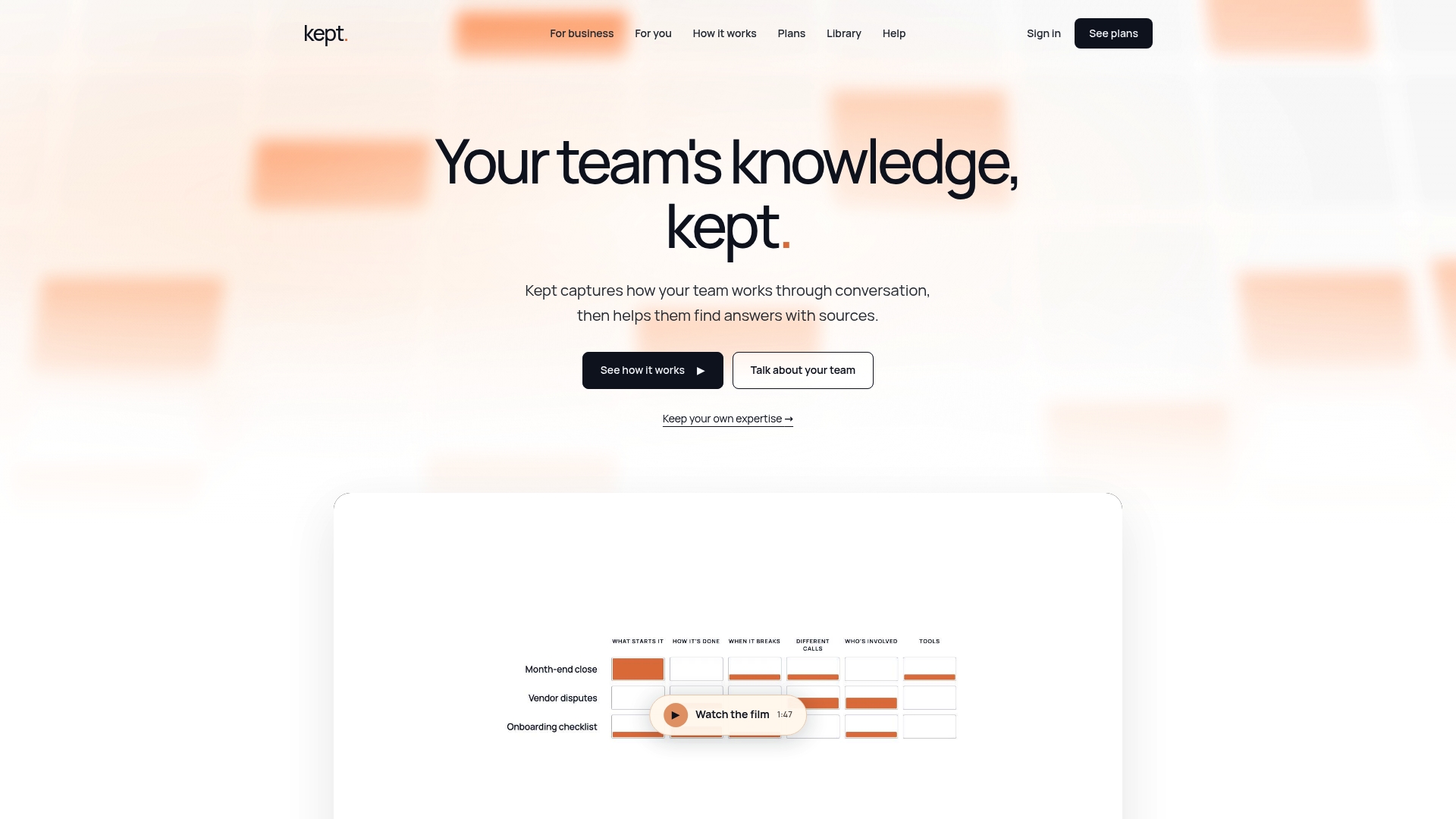
This is why we built Kept around conversation. People describe their work in their own words, guided by questions that draw out exceptions and reasoning, and those answers become structured workflows the team can search, cite and review. What you end up with is a record of how decisions are made, which is the one thing both a new hire and an automation need.
So our advice is simple. Do not ask whether to document or automate. Ask what the person knows that the page does not, and capture that first.
Anthony
Capture the process before you automate it
Kept is a conversational AI platform for documenting and managing workflows. People talk through how they work, guided interviews draw out exceptions and the reasoning behind decisions, and the result is structured, searchable documentation with citation-backed answers. Workspaces are opt-in, with review and deletion controls, and access is managed at the workspace level.
There are two plans: kept for you, for individual professionals, and kept for business, for teams. For details, see the pricing page, or visit Kept to see how it works.
If you are a team lead starting small, our guide to capturing three to five processes in a personal knowledge workspace is a practical first step.
FAQ
Should you document a process before automating it?
In most cases, yes. A written account of the steps, the trigger, the exceptions and the decision owner is the specification the automation is built against. The exceptions are the exception: a single-step task or a workflow that lives inside one system can be automated with minimal writing.
How do you know a process is ready for automation?
It should be stable, frequent, rule-based and have known exceptions. A quick test is whether two different people run it the same way and whether someone other than the usual operator could follow the written version. If the answer depends on one person's judgment, document that judgment first.
Is documentation really a form of automation?
It can be viewed that way. Limoncelli argues in Communications of the ACM that a step-by-step guide is automation in which a person acts as the processor, and that documentation, automation equivalents, full automation and self-service are overlapping phases. Written steps are the first version of what software later runs.
What should a process document include?
The ordered steps, what triggers the process, what finishes it, the exceptions people handle without thinking, who decides in ambiguous cases, and the reasoning behind non-obvious steps. Keep it to a page and have the person who does the work write it, ideally after a couple of weeks of observation.
Can you automate part of a process?
Yes, and it is often the best approach. Automate the steps that are clearly rule-based and keep a person on the decisions your documentation marks as judgment calls. As the documented reasoning matures, you can move more of those calls into automation.
Sources
- Documentation Is Automation, Communications of the ACM
- AI Workflow Automation for Builders: 5 Steps, NIST Guardrails