

To create SOPs that hold up in practice, start by naming the process and its measurable outcome, draft from a short template with document control, purpose, steps, and verification, then test the draft with someone unfamiliar with the task before publishing it anywhere near your official system.
TL;DR:
Use a clear header and revision history to ensure SOPs are current and easy to audit, with major revisions indicating process changes.
Match the SOP format to decision points: simple lists for routine tasks, flowcharts for multiple branches, and checklists for repetitive processes.
Test drafts with someone unfamiliar with the task to uncover micro-steps and ambiguities often missed by peer reviews or internal checks.
Capture the process through spoken walkthroughs to preserve expert reasoning and exceptions that written notes may overlook.
Retire SOPs only when the process no longer exists, and link revisions to real signals like errors, incidents, or system updates for ongoing relevance.
Table of Contents
-
Step-by-Step SOP Development Process, From Trigger to Training
-
Speed Up SOP Drafting by Capturing the Walkthrough, Not Just the Steps
Quick, Copyable SOP Template You Can Use Today
Every durable standard operating procedure guide starts from the same skeleton, whether you are documenting a shift-change checklist or a five-department onboarding flow. A practical SOP template includes document control, purpose, scope, responsibilities, procedure steps, verification, and revision history, and skipping any of those pieces is usually why an SOP gets ignored within a month.
Here’s the structure worth copying, in order:
-
Header block: title, SOP ID, a document version number, effective date and a planned review date, document owner, and approver
-
Purpose: one or two sentences on why this procedure exists and what outcome it protects
-
Scope: who performs it, what systems or locations it covers, and what falls outside it
-
Definitions and responsibilities: any term a new hire wouldn’t know, plus who owns each step
-
Materials and inputs: tools, software access, forms, or physical items needed before starting
-
Procedure: the numbered steps themselves, written as single actions
-
Verification: how the operator (or a supervisor) confirms the step or process was done correctly
-
Revision history: a running log of what changed and why
The header and revision history are the two fields most first-draft SOPs skip, and they’re the two a compliance audit checks first.
| Field | Example entry |
|---|---|
| SOP ID | OPS-014 |
| Version | 2.1 |
| Effective date | March 3, 2026 |
| Document owner | Warehouse Operations Lead |
| Approver | Operations Director |
| Last review | February 18, 2026 |
Fill in the header first, even before you write step one. It forces you to name an owner, which is the single field most abandoned SOPs never had.
How Do You Pick the Right SOP Format?
Match the format to how many decisions the task actually requires, not to how long the process feels. Simple step lists work for short, routine tasks with few decision points, hierarchical lists suit longer procedures, flowcharts fit tasks with multiple branches, and checklists work best for identical, repeat tasks. Forcing a fifteen-decision process into a flat numbered list is how you end up with an SOP nobody trusts because it doesn’t match reality.
A few decision rules that hold up across most teams:
-
Fewer than about ten steps with almost no branching: write a step-by-step list or checklist
-
More than about ten steps, still linear: use a hierarchical format with major steps and lettered sub-steps
-
Multiple decision points where the next action depends on a condition: build a flowchart
-
A process that repeats identically many times a day (opening a register, sanitizing equipment): derive a checklist from the full SOP for daily use
Hybrid formats are common and often the right call. A hierarchical SOP for onboarding new hires might link out to a flowchart just for handling a rejected background check, keeping the main document readable while still covering the edge case. When a process branches often, keeping the branch decision in a flowchart and the detailed actions in linked sub-procedures preserves readability far better than cramming every “if this, then that” into one long document.
Pro Tip: If unsure which format fits, count the decision points first. Few decision points suggest a checklist; multiple require a flowchart, regardless of task duration.
Step-by-Step SOP Development Process, From Trigger to Training
Most SOPs fail not because the writing is bad, but because the process behind writing them skipped a step. A seven-step development method, moving from planning through drafting, internal review, external review, testing, posting, and training, produces documents that survive contact with real work, and skipping straight from “draft” to “publish” is the most common shortcut that backfires.
Here’s the sequence, and why each stage earns its place:
-
Identify the trigger and name two owners. Something prompts every SOP, a new hire, an incident, a compliance requirement, a process that broke because only one person knew how to fix it. Name a Process Owner (accountable for the outcome) and a Document Owner (accountable for keeping the text current) before you write a single step. These are often different people, and conflating them is why revision history fields sit empty for years.
-
Draft with the operator, not about them. Sit with the person who actually does the work and watch them do it. Observing the operator in their natural environment catches micro-steps that interviews alone miss, because a lot of expert behavior has become muscle memory the operator no longer narrates out loud. Ask “what would you check right here” at every pause, not just “what do you do next.”
-
Run an internal review. Have a peer or supervisor from the same function read the draft and flag anything that reads differently from how the team actually works. This catches jargon drift and process assumptions the drafter didn’t notice.
-
Run an external review. Someone outside the immediate team, compliance, quality, a manager from an adjacent department, checks for regulatory gaps, safety issues, or handoff points the internal reviewers were too close to see.
-
Test with someone unfamiliar with the task. This is the step most teams skip, and it’s the one that matters most. Handing the draft to a new hire or a borrowed employee from another team and watching where they hesitate exposes gaps no reviewer catches on paper.
-
Approve and publish where the work happens. A signed-off SOP buried in a shared drive nobody opens does nothing. Publish it at the point of use, on the shop floor terminal, in the ticketing system, on the physical clipboard, wherever the operator’s eyes actually land.
-
Tie it to training. New hires should encounter the SOP as part of onboarding, not stumble on it later. Training and the document should reinforce each other, not exist as two separate systems that quietly drift apart.
Gathering information from subject matter experts works best when you frame it as a walkthrough, not an interrogation. Asking “walk me through your morning” produces far richer detail than “list your daily tasks,” because the first framing invites the small judgment calls that never make it into a bullet list.
Writing SOP Steps People Actually Follow
One action per step. That’s the rule that fixes more bad SOPs than any other single change. Guidance on SOP writing recommends imperative voice, one action per sentence, and short sentence structure, because a step that bundles two actions together is a step someone will half-follow under pressure.
Measurable criteria matter as much as sentence structure. “Let the mixture cool” tells an operator nothing useful. “Let the mixture cool to 95°F before adding yeast” tells them exactly when to move to the next step. The difference isn’t stylistic. It’s the difference between a step that produces the same result every time and one that produces a different result depending on who’s reading it and how patient they feel that day.
A few before-and-after rewrites make this concrete:
-
Before: “Check the equipment is working properly before starting the shift.” After: “Confirm the pressure gauge reads within the acceptable operating range before starting the shift.”
-
Before: “Process the return promptly and update the customer.” After: “Process the return promptly and send the customer a confirmation email.”
-
Before: “Make sure the form is filled out correctly and submitted.” After: “Complete all required fields on the appropriate form and submit it within the designated timeframe.”
Pro Tip: Read each step out loud and count the verbs. If you hear “and” connecting two actions, split it into two numbered steps. A reviewer will thank you, and so will the person following it at 2:00 AM on a night shift.
Decide early whether a sub-task belongs inline or as a linked sub-procedure. A three-step calibration check that appears inside five different SOPs should live as its own linked document, not get copy-pasted five times, because the moment the calibration process changes, you’ll only remember to update one of the five copies.
Testing SOPs With Someone Who’s Never Seen Them Before
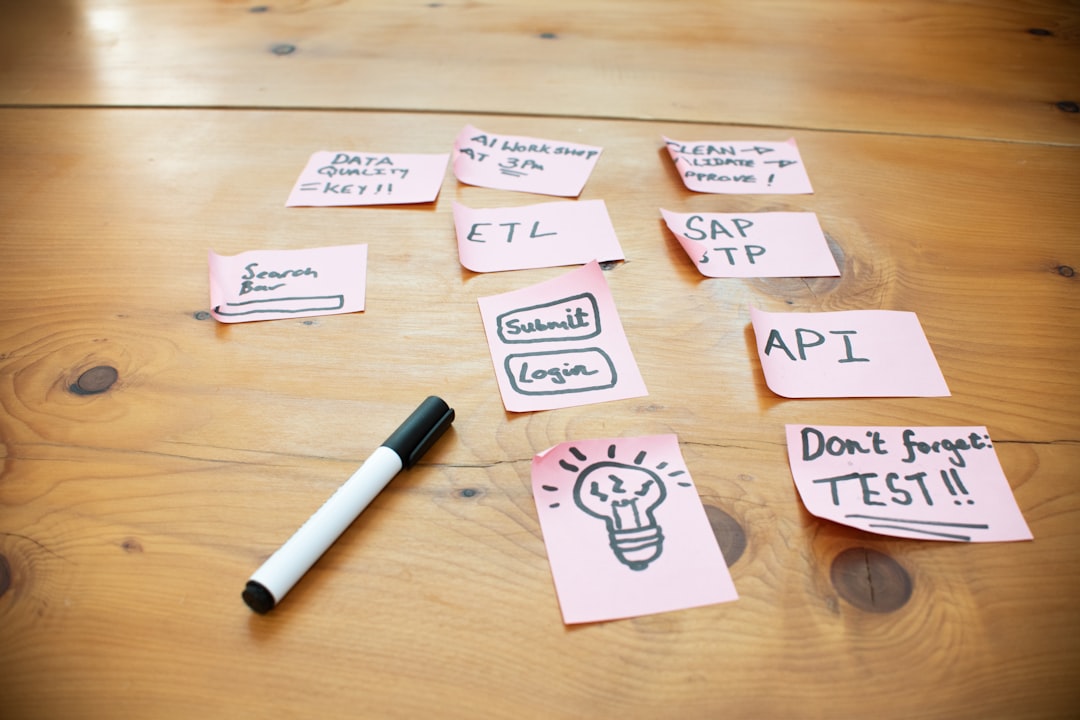
The single cheapest, highest-value step in the entire SOP development process is watching a stranger try to follow your draft. Testing a draft SOP with someone unfamiliar with the task reveals missing micro-steps and ambiguous language, and it measurably increases staff buy-in when workers participate in the review. Skip this step and you find out about the gaps the hard way, usually during an actual incident.
Here’s how to structure the test run properly:
-
Pick a tester who has zero context. Not the person who helped draft it. Not someone who’s done a version of this task before. A genuine outsider, ideally a new hire or someone borrowed from another department for an hour.
-
Define pass and fail before you start. Decide in advance what “successfully completed” looks like, a specific output, a specific time window, a specific quality check, so you’re not judging success on gut feel afterward.
-
Watch silently and note every hesitation. Every pause, every “wait, what does this mean,” every moment the tester looks up for help is a flag on the document, not a flag on the tester.
-
Log every exception in one place. Keep a single running exception log rather than scattering sticky notes. When the same exception shows up across multiple test runs, that’s your signal to build it into a branch or spin it out as its own SOP.
-
Revise and retest until it passes clean. One clean run doesn’t always mean you’re done, but a draft that fails the same point twice in a row definitely isn’t ready to publish.
Testing with an unfamiliar user is widely considered the most effective low-cost validation method precisely because it costs almost nothing beyond an hour of someone’s time, yet catches the exact failures that peer review tends to miss. Reviewers who already know the process read past the gaps. A true beginner can’t.
Rolling SOPs Into Daily Work, Not Just Into a Folder
An SOP that lives only as a PDF attachment in someone’s inbox might as well not exist. Publish it where the work actually happens, on the terminal at the workstation, inside the ticketing tool, on a laminated card at the register, so the document is physically or digitally present at the moment someone needs it.
Training has to move beyond “here, read this.” A few practices consistently outperform the read-and-sign approach:
-
Walk new hires through the SOP live, then have them perform the task while you watch, rather than assuming a read-through equals understanding.
-
Assign a clear owner for monitoring whether the SOP is still being followed correctly six months after launch, not just at rollout.
-
Set a revision trigger tied to real signals, an uptick in errors, a near-miss incident, a new tool rollout, rather than waiting for an annual calendar reminder.
-
Tie SOP adherence to a metric you already track, error rate, onboarding time to competency, first-call resolution, so the document’s value shows up in numbers leadership already watches.
Companies that connect SOP training to onboarding time consistently see new hires reach independent competency faster, because the SOP replaces the informal “shadow someone for two weeks and hope it sticks” method with something structured and repeatable.
Version Control and Knowing When to Retire an SOP
Governance doesn’t need to be complicated, but it does need to be consistent. A simple three-level versioning scheme, major.minor.patch, where a major version means the process itself changed, a minor version means a step was clarified, and a patch means a typo or formatting fix, keeps your revision history legible to anyone auditing it later.
| Document control field | Why it matters |
|---|---|
| SOP ID and a document version number | Confirms staff are following the current, approved copy |
| Effective date and next review date | Sets a built-in cadence so documents don’t go stale silently |
| Approver signoff | Creates accountability and an audit trail |
| Change log entry per revision | Shows what changed, when, and who approved it |
Retire an SOP when the process it describes no longer exists, not when it simply feels outdated. Archive the retired version rather than deleting it, since audits and incident investigations sometimes need to reference what the process used to say. Force an immediate off-cycle review any time there’s a system change, a safety incident, or an audit finding, rather than waiting for the scheduled review date to roll around.
Where to Find Free SOP Templates and How to Adapt Them Fast
A genuinely useful free template gives you the document control header, purpose and scope fields, a numbered procedure section, and a revision history table already formatted, so you’re filling in content rather than designing a document from scratch. Start by filling the header and purpose first; those two sections force clarity about who owns the process before you write a single procedural step.
Template needs vary by function, and picking the wrong shape wastes time:
-
HR hiring workflows usually need a hierarchical format with several major stages (sourcing, screening, interviewing, offer) and lettered sub-steps within each.
-
IT procedures (password resets, system provisioning) often work best as a flowchart when troubleshooting branches are involved.
-
Restaurant and food service tasks (opening checklists, sanitation) are almost always straight checklists derived from a longer training SOP.
-
Manufacturing procedures frequently combine a hierarchical main document with linked flowcharts for quality-control decision points.
-
Marketing operations (campaign launch, content approval) tend to suit step-by-step lists with clear handoff points between roles.
To pull a daily checklist out of a full SOP, copy just the action verbs and their measurable criteria, strip out the explanatory context, and you’ll have a one-page frontline tool that links back to the full document for anyone who needs the reasoning behind a step. Free template libraries covering HR, IT, food service, and manufacturing are worth bookmarking as a starting point rather than building every template from a blank page.
Why Spoken Walkthroughs Capture What Written Notes Miss
Written SOPs miss something written notes can’t hold: the reasoning behind a step, the exception a veteran employee handles automatically, the judgment call that never got written down because nobody thought to ask. Some platforms record a guided verbal walkthrough, auto-transcribe it, and draft a structured SOP from what the operator actually said, capturing the decision context that interviews on paper routinely lose.
The workflow is simple: record the walkthrough, let the conversation surface the micro-steps and reasoning, draft the SOP from that transcript, then run the unfamiliar-user test on the result. Because the source material already includes the operator’s own reasoning, fewer things get missed in the first draft, which means fewer revision cycles before the SOP is ready to publish and train on.
The Real Reason Most SOPs Fail Isn’t the Writing
Most failed SOPs share the same root cause, and it isn’t bad formatting or clumsy sentences. It’s missing micro-steps nobody thought to write down, no named owner once the initial excitement fades, and a document that gets approved but never actually tested on a real, unfamiliar person before rollout.
If you fix one thing in your SOP development process, make it this: treat every draft as unfinished until an unfamiliar user has run it start to finish and passed. Treat every exception that tester hits not as a nuisance but as a governance signal telling you the document, or the process itself, needs another look. Teams that build documentation systems around capturing how experts talk through their own work, rather than how they write it down after the fact, consistently end up with SOPs that hold more of the real reasoning behind each step, which is exactly the piece that classic interview-based drafting tends to lose first.
— Anthony
Speed Up SOP Drafting by Capturing the Walkthrough, Not Just the Steps
The slowest part of writing an SOP is rarely the formatting. It’s getting the real process out of the one person who knows it, especially the exceptions and judgment calls they’ve never had to explain out loud before. Some tools are built around that exact bottleneck: they let an operator talk through their process in a guided conversation, then turn that recording into a structured draft with the micro-steps and reasoning already intact, instead of leaving you to reconstruct them from a rushed interview or a half-finished Word document.
That approach fits some situations especially well. Onboarding a new engineer onto a system only one senior person understands, documenting a cross-team handoff where the “why” behind each step matters as much as the “what,” or preserving the tribal knowledge of someone who’s leaving the company in three weeks, all of these are cases where a written interview alone tends to lose detail that a conversation captures naturally. If you want to see how it works before committing to anything, watch how Kept helps onboard engineers from what your team already knows or explore Kept for Business to see the platform’s approach to preserving decision context across a whole organization.
Sources
FAQ
How Do You Create SOPs From Scratch?
Name the process and its measurable outcome, draft from a short template covering document control, purpose, scope, and numbered steps, then test the draft with someone unfamiliar with the task before publishing and training on it.
Can ChatGPT Create SOPs?
A tool like ChatGPT can help structure a draft from notes you provide, but it can’t observe the real task or capture the micro-steps and judgment calls an expert has never written down, which is why testing any AI-assisted draft with an unfamiliar user still matters.
How Can I Create SOPs for Free?
Free template libraries from sources like Smartsheet and Opsplate provide downloadable document-control headers, procedure sections, and revision history tables you can fill in without paying for software.
What Is the Best Program to Create SOPs?
The right tool depends on how you gather information: a word processor works fine once you already have the steps, while a platform like Kept is built for capturing the spoken walkthrough and reasoning behind a process before you ever start drafting.
How Often Should an SOP Be Reviewed?
Set a standard review cadence, often annually, but force an immediate off-cycle review whenever there’s a system change, a safety incident, or an audit finding that suggests the current version no longer matches reality.