
An AI knowledge base is a retrieval-backed system that grounds a language model's answers in your organization's actual documents, so it can generate citation-backed responses instead of guessing. The best first step isn't picking a vendor. It's running a content audit and choosing one pilot use case, such as support FAQs or new-hire onboarding, where a wrong answer is cheap and a right one saves real time. Get that scoped correctly, and the NIST governance framework you'll need later becomes far easier to apply.
TL;DR:
- Well-implemented AI knowledge bases can reduce search times by 35 to 40 percent when content is current, well-tagged, and regularly maintained.
- Prioritizing the ingestion of impactful documents like support tickets and edge case discussions yields better results than focusing solely on polished documentation.
- A strong governance process with clear ownership, frequent content reviews, and access controls is essential to maintain accuracy and trust.
- Starting with high-frequency, low-risk use cases such as support FAQs or onboarding questions ensures quick feedback and measurable success.
- Vector retrieval works well initially, but complex content with cross-references may require knowledge graph architecture and conflict tracking for higher trustworthiness.
Table of Contents
- What an AI Knowledge Base Actually Does
- How AI Knowledge Bases Actually Work
- What Content to Include and How to Prepare It
- What Results Should You Actually Expect?
- How to Build and Deploy an AI Knowledge Base: A Step-by-Step Checklist
- Choosing Your Architecture: RAG vs. Knowledge Graphs
- Governance, Security, and Trust: What You Can't Skip
- Measuring and Maintaining Your Knowledge Base Over Time
- How Kept Approaches Knowledge Capture
- What to Pilot First, and Where Most Teams Trip Up
- How Kept Fits Into Your AI Knowledge Base Strategy
- Sources
- FAQ
What an AI Knowledge Base Actually Does
A traditional knowledge base is a filing cabinet. Someone writes an article, someone searches for a keyword, and if the words don't match, the search comes up empty. An AI knowledge base works differently: it understands the intent behind a question and pulls relevant passages from your documentation even when the exact phrasing never appears in either the question or the source. That shift, from keyword matching to meaning matching, is the entire reason this category exists.
The gap it closes is bigger than most teams assume. Gartner found that 47% of digital workers struggle to find the information they need to do their jobs, which means nearly half your workforce is burning hours on searches that should take seconds. An AI knowledge base targets exactly that friction point.
Three groups tend to adopt these systems first, and each has a distinct job to be done:
- Customer support teams use it for self-service deflection, letting customers find answers before a ticket ever opens.
- Support agents use it as an assist layer, pulling the right policy or troubleshooting step mid-conversation instead of searching four tabs.
- New hires use it during onboarding, asking the system questions a mentor would otherwise have to answer over and over.
What goes into the system varies by team, but most builds start with a similar content mix: help center articles, internal SOPs, Slack or Teams threads with real resolutions, product release notes, and recorded process walkthroughs. The mistake teams make early is assuming polished documentation is the priority. In practice, the messy stuff, the Slack thread where someone explains the exception to the rule, often carries more value than the clean SOP that never mentions the exception exists.
How AI Knowledge Bases Actually Work
The mechanism behind almost every modern AI knowledge base is called retrieval-augmented generation, or RAG. Understanding it at a practical level matters more than understanding the math, because the design choices you make in a RAG pipeline determine whether your system gives trustworthy answers or confident nonsense.
Here's the plain version. A language model on its own doesn't know your refund policy, your escalation matrix, or the workaround your senior engineer uses for a recurring bug. So instead of asking the model to answer from memory, a RAG system retrieves the most relevant chunks of your actual documentation first, then hands those chunks to the model along with the question, and instructs it to answer using only that retrieved context. The model isn't inventing an answer. It's summarizing evidence you handed it.
That retrieval step depends on embeddings, a way of converting text into numerical representations that capture meaning rather than exact wording. A question like "how do I get a refund after the return window closes" and a policy document titled "late return exceptions" might share zero words in common, but their embeddings will sit close together in vector space because the underlying meaning overlaps. This is semantic search, and it's the reason AI knowledge bases outperform keyword search on the messy, conversational questions real people actually ask.
Two engineering decisions shape how well this works in practice:
- Chunking strategy: documents get split into passages small enough to retrieve precisely but large enough to preserve context. Split too aggressively and you lose the surrounding caveat that made the answer correct.
- Metadata tagging: each chunk needs attributes like source, last-updated date, department owner, and access level, so retrieval can filter by freshness or permission before it ever reaches the model.
Statistic Callout: Industry syntheses tracking AI knowledge management deployments report search-time reductions in the 35 to 40% range when systems are implemented well, with content quality flagged as the dominant factor separating strong results from disappointing ones.
The last piece, and arguably the most important for trust, is citation. A well-built AI knowledge base doesn't just answer. It shows its work, linking each claim back to the specific document and passage it drew from. Without that, you're trusting a black box. With it, a support agent or employee can verify the answer in two seconds instead of taking it on faith. This is also your best defense against hallucination, the tendency of language models to generate plausible-sounding but false information when they lack grounding. Citation-backed answers don't eliminate hallucination risk entirely, but they make it visible and checkable instead of invisible and dangerous.
What Content to Include and How to Prepare It
Not every document deserves a place in your AI knowledge base, and treating all content as equally ingestible is where a lot of pilots go wrong. Start by separating your sources into three categories: structured data (databases, ticketing system fields, CRM records), unstructured documents (PDFs, wikis, recorded calls, Slack threads), and live connectors (systems that update in real time, like your ticketing platform or product documentation site).
Preparation is where the real work lives, and it follows a fairly consistent sequence regardless of which platform you choose:
- Inventory every source and flag which ones are current versus outdated, since stale documentation poisons retrieval quality faster than missing documentation does.
- Assign canonical IDs to each document so updates replace old versions cleanly instead of creating duplicate, conflicting chunks in your index.
- Tag metadata fields, at minimum owner, department, last-reviewed date, and access tier, so retrieval and permissions both function correctly.
- Normalize formatting, stripping navigation clutter, broken tables, and duplicate boilerplate that would otherwise get retrieved as if it were substance.
- Enrich thin content by adding the reasoning or exception context that lives only in someone's head, which is exactly the kind of tribal knowledge a guided documentation process is built to capture.
Skipping step five is the most common shortcut, and it's the one that shows up later as an AI knowledge base that answers the easy questions well and falls apart on the exceptions that actually generate support tickets.
What Results Should You Actually Expect?
Realistic outcomes cluster around three metrics: ticket deflection, time-to-answer, and onboarding speed, and the range you land in depends heavily on how much governance work you put in before launch, not which model you pick.
Deflection rates and time-to-answer improvements vary by industry and content maturity, but the pattern holds across most deployments: teams that invest in clean, current, well-tagged content see meaningfully better numbers than teams that dump raw documentation into an index and hope. The Gartner finding on information-seeking friction is the baseline you're trying to beat, and closing even half that gap changes how many hours your team spends searching versus doing.
Statistic Callout: Industry benchmarking on AI knowledge management deployments points to 35 to 40% reductions in search time, with the widest variance tied directly to content quality rather than model sophistication.
Three factors drive most of the variance you'll see between a strong rollout and a mediocre one:
- Content quality and freshness, since a system built on outdated policy documents will confidently repeat outdated policy.
- Governance discipline, meaning someone actually owns review cycles instead of assuming the system maintains itself.
- Integration depth, because a knowledge base that can't see your ticketing system or CRM in real time will always lag behind what's actually happening.
Translating these into ROI is straightforward if unglamorous math: multiply hours saved per employee by loaded hourly cost, add reduced ticket-handling time multiplied by ticket volume, then weigh that against platform and maintenance cost. The number that convinces a CFO is rarely the flashiest metric. It's the boring one: hours reclaimed, multiplied across a whole team, month after month.
How to Build and Deploy an AI Knowledge Base: A Step-by-Step Checklist
Most AI knowledge base projects fail not because the technology doesn't work, but because teams skip the boring groundwork and jump straight to model selection. Here's the order that actually holds up.
-
Define the pilot goal and success metric before touching any tool. Pick one measurable outcome, ticket deflection rate, average handle time, or new-hire ramp time, and set a target number. A pilot without a defined metric is just a demo.
-
Choose a narrow, high-frequency use case. Support FAQs and onboarding questions are the classic starting points because they're high-volume, low-risk if occasionally imperfect, and easy to measure. Resist the urge to start with your most complex, highest-stakes workflow.
-
Run the content audit. Inventory what exists, flag what's outdated, and identify the gaps where no documentation exists at all, usually the exceptions and edge cases that live only in someone's head.
-
Prioritize ingestion by impact, not by ease. The documents behind your top ten support ticket categories matter more than every wiki page you've ever written, even if they're harder to extract and clean.
-
Select your architecture. Decide whether vector-only retrieval is sufficient or whether your content's structure (highly hierarchical, regulatory, cross-referenced) calls for a more sophisticated approach, a decision covered in depth in the next section.
-
Check your integration requirements. Confirm the platform can connect to your ticketing system, identity provider for single sign-on, and any live systems of record you need reflected in real time, not just static document uploads.
-
Set access controls before ingestion, not after. Decide who can see what, especially for HR, legal, or compensation content, and build that permission structure into your metadata from day one.
-
Launch a controlled pilot with a feedback loop. Route a subset of real questions through the system, capture where it gets things wrong, and route those failures back to the people who own the source content.
-
Establish a governance gate before scaling. Set a minimum accuracy or satisfaction threshold the pilot must clear before it expands beyond the initial team or use case.
-
Ramp in stages, not all at once. Expand to adjacent use cases or teams only after the first one is stable, monitored, and has an assigned content owner keeping it current.
Pro Tip: Assign a named content owner for your pilot before launch, not after you notice answers going stale. The single biggest predictor of a knowledge base's long-term accuracy isn't the model behind it. It's whether a specific person is accountable for reviewing and refreshing the source material.
The teams that get this right treat the pilot as a process to be measured and improved, not a one-time deployment. That process orientation, connecting the business goal, the implementation choices, and the evaluation metric into one auditable loop, is exactly what process-based knowledge management frameworks for generative AI are designed to formalize.
Choosing Your Architecture: RAG vs. Knowledge Graphs
Vector-only RAG works well for a lot of use cases, but it has a known weakness: it treats every chunk of text as roughly independent, which makes it less reliable on content where the relationships between documents matter as much as the documents themselves, think regulatory frameworks, legal contracts with cross-references, or deeply hierarchical technical specifications.
That's the gap knowledge-graph-augmented retrieval is built to close. Instead of retrieving isolated chunks, a knowledge graph approach maps the relationships between documents, sections, and clauses, then traverses those relationships when answering a question. On hierarchical, regulatory document sets, an agentic knowledge graph approach with recursive traversal showed a substantial accuracy improvement over vector-only RAG in benchmark testing. That's not a marginal gain. It's the difference between a system you can trust with compliance questions and one you can't.

There's a governance layer above both approaches worth understanding, too. Newer frameworks like evidence-ledger systems address a problem vector RAG and even basic knowledge graphs share: when two documents conflict, or a policy changes mid-quarter, how does the system know which version is authoritative? LedgerRAG's approach uses a trigger-aware retrieval chain and an evidence ledger to track conflicts, timestamps, and audit trails, so the system can adjudicate which source wins instead of blindly retrieving whichever chunk scores highest.
Here's how the trade-offs break down in practice:
| Architecture | Best fit | Main limitation |
|---|---|---|
| Vector-only RAG | High-volume FAQs, support content, general documentation | Struggles with cross-referenced or deeply hierarchical content |
| Knowledge-graph RAG | Regulatory, legal, or technical content with heavy internal cross-referencing | More complex to build and maintain |
| Evidence-ledger governance layer | Any dynamic environment where policies conflict or change frequently | Adds an audit layer that requires ongoing upkeep |
For most support and onboarding pilots, vector-only RAG is the right starting point precisely because it's simpler to stand up and iterate on. Reach for graph-augmented retrieval when your content genuinely calls for it, not by default, and add governance-ledger controls once you're operating at a scale where conflicting or outdated content has become a real, recurring risk rather than a hypothetical one.
Governance, Security, and Trust: What You Can't Skip
Grounding your AI knowledge base in retrieved evidence solves the accuracy problem, but it doesn't automatically solve the governance problem. NIST's Generative AI Profile lays out the baseline: provenance tracking, pre-deployment testing, and incident disclosure processes are recommended actions, not optional extras, for any organization deploying generative AI in production.
In practice, that translates into a short list of controls that need to exist before launch, not after an incident:
- Access controls scoped to content sensitivity, so HR, legal, and compensation documents surface only to roles authorized to see them.
- PII handling procedures that flag and redact personal information before it ever enters your index.
- Opt-in capture workflows for any process that records or transcribes real conversations, giving contributors clear visibility into what's being captured and the ability to review or delete it.
- Pre-deployment testing, including adversarial or red-team style prompts designed to surface where the system might leak sensitive data or fabricate an answer.
- Ongoing monitoring for drift, since a system that was accurate at launch can degrade silently as source content ages or business rules change without anyone updating the index.
- A defined incident response path for when the system gives a wrong or harmful answer, so it gets corrected and logged instead of quietly repeated.
Pro Tip: Build your red-team test set from real historical support tickets, especially the edge cases and exceptions, rather than generic test questions. The failures that matter are the ones your actual customers or employees are likely to trigger, not the ones a QA checklist imagines.
Kept's Trust Center and security documentation are useful references if you want to see what a mature version of these controls looks like in a platform built specifically around opt-in capture and workspace-level access.
Measuring and Maintaining Your Knowledge Base Over Time
An AI knowledge base isn't a project with an end date. It's a system that degrades the moment you stop feeding it. The core KPIs worth tracking monthly are deflection rate (percentage of queries resolved without human escalation), resolution accuracy (spot-checked against known-correct answers), and time-saved per query compared to your pre-AI baseline.
Gap detection deserves its own workflow, not an afterthought. When the system fails to answer or gives a low-confidence response, that failure should route automatically to a content owner, not disappear into a log nobody reads. Refresh triggers work best when tied to real events: a policy change, a product release, or a spike in a particular failure pattern, rather than an arbitrary quarterly review that misses everything in between.
A practical maintenance rhythm looks like this:
- Weekly: review flagged failures and low-confidence answers from the prior week.
- Monthly: audit a sample of citations for accuracy and check for content that's aged past its review window.
- Quarterly: reassess which use cases are ready to scale and which need more content investment before expanding further.
Ownership matters as much as cadence. Without a named person accountable for each content domain, refresh cycles quietly stop happening within a few months of launch.
How Kept Approaches Knowledge Capture
Most AI knowledge base failures trace back to one root cause: the source content never captured the reasoning behind a decision, only the decision itself. Kept was built around that specific gap. Instead of asking employees to write documentation, Kept lets them talk through a process in their own words, through guided conversational interaction, and turns that into structured, searchable documentation.
That approach matters for a few concrete reasons:
- Exceptions get captured, not lost. Guided interviews are designed to surface the "well, except when..." reasoning that traditional SOPs typically omit.
- Context stays attached to the content. Each captured workflow preserves the specific circumstances and judgment calls a person applied, not just a generic rule.
- Workspace-level controls govern access. Business workspaces support opt-in capture, review, and deletion, so contributors keep visibility into what's recorded.
Readers evaluating a platform for this kind of capture can review Kept for Business or Kept for You depending on whether the need is team-wide or individual.
What to Pilot First, and Where Most Teams Trip Up
Start with the highest-frequency, highest-cost task on your team's plate, almost always support FAQs or onboarding questions, because the volume gives you fast feedback and the stakes stay low if the system occasionally misses.
The pitfall I see most often isn't a bad model choice. It's teams chasing model upgrades before they've fixed their content governance. A better model retrieving from stale, ungoverned documentation still gives wrong answers, just more confidently. Fix the content pipeline first.
Before approving a pilot, an executive should ask three questions: What's the one metric we're measuring? Who owns content freshness after launch? And what's our threshold for scaling versus killing the pilot? If those three answers aren't clear, the pilot isn't ready.
— Anthony
How Kept Fits Into Your AI Knowledge Base Strategy
If your team's biggest content gap is the tribal knowledge that never made it into a document, in someone's head instead of your knowledge base, Kept is built specifically for that problem. Rather than asking employees to write SOPs from scratch, Kept's conversational capture lets them explain a process the way they'd explain it to a new hire, then structures that explanation into documentation your AI knowledge base can actually retrieve from.
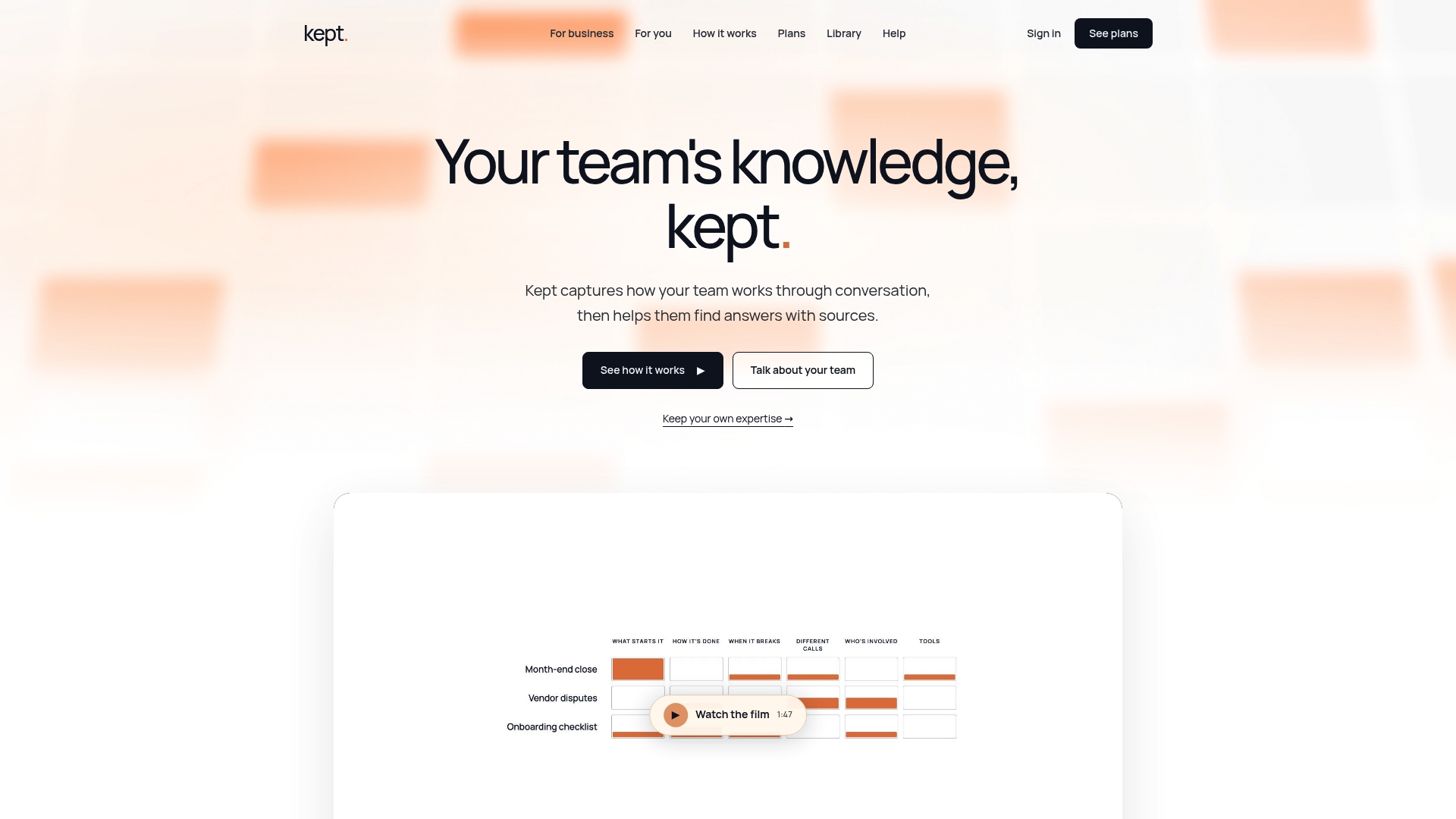
For teams, that means workspace-level access controls, opt-in capture with clear review and deletion options, and guided interviews designed to pull out the exceptions and reasoning that generic templates miss. For individuals documenting their own expertise before a role change or departure, the same guided approach applies at a personal level.
Both kept for you and kept for business plans are available, with pricing details on the Kept pricing page. If you're weighing this against a broader rollout, the live webinar session walks through practical pilot scenarios and is worth attending before you commit to an architecture.
Sources
- NIST: Artificial Intelligence Risk Management Framework — Generative AI Profile (NIST AI 600-1)
- LedgerRAG: Governance-Driven Agentic Chain of Retrieval for Dynamic Knowledge Scenarios (MDPI)
- Gartner: 47% of digital workers struggle to find needed information
FAQ
What Is the Best AI Knowledge Base Tool?
There's no single best tool. It depends on your use case: teams focused on capturing conversational, tribal knowledge often look at platforms like Kept, while teams with heavily regulated, cross-referenced content may need graph-augmented retrieval architectures instead of a general-purpose tool. Match the tool to your content type and governance needs before comparing feature lists.
How Do You Prepare a Knowledge Base for AI?
Preparation starts with a full content audit to flag outdated material, followed by assigning canonical IDs and metadata (owner, department, last-reviewed date) to every document. From there, normalize formatting and enrich thin content with the reasoning or exceptions that usually live only in someone's head, since that context is what separates a useful AI knowledge base from one that only handles easy questions.
Can You Give Examples of AI Knowledge Bases?
Common examples include customer self-service portals that answer questions using retrieval-augmented generation, internal agent-assist tools that surface policy answers mid-conversation, and onboarding assistants that let new hires ask questions instead of waiting for a mentor. Each pulls from indexed company documentation rather than a model's general training data.
How Do I Start Learning AI Knowledge Management on My Own?
Start with the core mechanism, retrieval-augmented generation, since almost every production system builds on it. Reading the NIST Generative AI Profile for governance fundamentals and running a small pilot with a narrow use case, like FAQ deflection, teaches you more in a month than reading vendor comparisons ever will.
What Makes an AI Knowledge Base Different From a Regular Knowledge Base?
A regular knowledge base relies on keyword search, so a question has to roughly match the wording in a document to return results. An AI knowledge base uses semantic search and retrieval-augmented generation to understand intent, pulling relevant answers even when the phrasing doesn't match, then generating a citation-backed response instead of a list of links.